


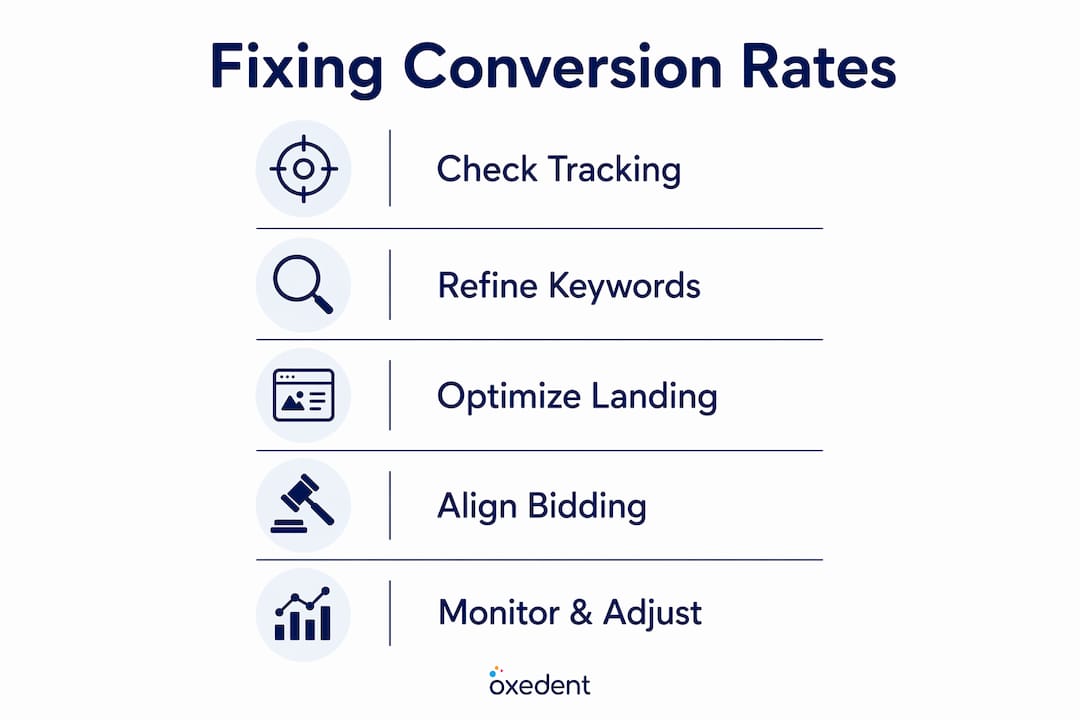
A low conversion rate in Google Ads is defined as the gap between clicks you pay for and purchases, sign-ups, or leads you actually receive. Before you change a single bid or rewrite an ad, the most important step to fix low conversion rate Google Ads issues is confirming your tracking is accurate. Misconfigured tags, broken pixels, and double-counted events distort every decision you make after that point. Tools like Google Ads Conversion Tracking, Google Tag Manager, and Google PageSpeed Insights each address a different layer of the problem. Get the measurement right first, then work through targeting, landing pages, and bidding in that order.
How to validate and fix google ads conversion tracking errors
Conversion tracking errors are the most common and most damaging cause of poor reported performance. Broken or misconfigured tracking has been shown to underreport actual conversions by as much as 40% in a single audit. That means you could be pausing campaigns that are actually working.
Start by checking whether your conversion tags fire correctly on thank-you pages and order confirmation screens. Use Google Tag Assistant or browser DevTools to verify each tag triggers once per conversion event, not on every page load. Double-counting is a frequent culprit: a purchase event firing from both a Google Ads tag and a Google Analytics import creates inflated numbers that mislead Smart Bidding.


Conversion tracking misconfiguration causes Smart Bidding algorithms to optimise for irrelevant actions, burning budget with no real return. Enhanced Conversions, which passes hashed first-party data back to Google, adds a further layer of accuracy that matters especially as third-party cookies phase out in 2026. Set this up inside Google Ads under Goals, then verify it through the Diagnostics tab.
Pro Tip: Submit a real test purchase or form entry end-to-end and confirm the conversion fires exactly once in your Google Ads account before trusting any campaign data.
| Tool | Purpose | When to Use |
|---|---|---|
| Google Tag Assistant | Verify tags fire on correct pages | Initial audit and after site changes |
| Google Tag Manager | Centralise and manage all tracking tags | Ongoing tag management |
| Google Ads Diagnostics | Check conversion action status | Weekly health checks |
| Enhanced Conversions | Improve match rates with first-party data | Always, especially post-cookie |
For a full walkthrough of setting this up correctly, the 2026 conversion setup guide from Oxedent covers every step in detail.
How does keyword targeting affect your conversion rate?
Keyword targeting determines who sees your ads. If the wrong people click, no amount of landing page polish will save your conversion rate. The search terms report is your clearest window into wasted spend: it shows exactly what users typed before clicking your ad.
Review this report weekly. Add irrelevant queries as negative keywords at the campaign or account level. A query like “free running shoes” landing on a paid product page will never convert, yet broad match keywords pull in exactly this type of traffic without a strong negative keyword list.

Broad match keywords require consistent weekly reviews to avoid wasting budget on irrelevant clicks. Phrase match and exact match give you tighter control but reduce reach. The right balance depends on your budget and conversion volume: start tighter, then expand once you have data.
Pro Tip: Build a shared negative keyword list at account level and apply it to every campaign. This prevents the same irrelevant terms from draining budget across multiple ad groups simultaneously.
Here are the keyword targeting practices that consistently move the needle for ecommerce accounts:
- Review the search terms report every week and add negatives before they compound into significant wasted spend.
- Segment campaigns by match type so you can control bids and budgets separately for broad, phrase, and exact traffic.
- Layer audience targeting on top of keyword targeting. In-market audiences and customer match lists let you bid higher for users who are more likely to purchase.
- Apply device and location bid adjustments based on actual conversion data, not assumptions. Mobile users often convert at different rates than desktop users in ecommerce.
- Use exact match for your highest-value product terms to protect budget on queries with proven purchase intent.
Improving your Quality Score through tighter keyword-to-ad relevance also reduces cost per click. Raising Quality Score from 5 to 8 can cut Cost Per Click by 30–40% while maintaining lead quality. That saving compounds across every click in your account.
What landing page changes improve google ads conversions?
Your landing page is where the conversion either happens or does not. Ad clicks that land on slow, cluttered, or mismatched pages are money spent for nothing. Every additional second of load delay costs approximately 7% of potential conversions. Use Google PageSpeed Insights and tools like ecommerce sales tactics to benchmark and improve your scores.
Message match is equally critical. If your ad promises “20% off leather boots,” the landing page must show leather boots at 20% off, not your general footwear category. Mismatched messaging breaks trust immediately and sends users back to the search results.
Multi-action landing pages cause decision paralysis. A single, clear call-to-action with minimal form fields outperforms a page with multiple competing options. Remove your main navigation bar on dedicated landing pages. Every link that takes a user away from the conversion path is a leak.
Trust signals close the gap between interest and purchase. Customer reviews, security badges, money-back guarantees, and recognisable payment logos all reduce perceived risk. Place them near your call-to-action, not buried at the bottom of the page.
| Landing Page Element | Best Practice | Impact |
|---|---|---|
| Page load speed | Under 3 seconds (target under 2) | Direct conversion rate impact |
| Message match | Ad headline mirrors page headline | Reduces bounce rate |
| Call-to-action | One primary CTA per page | Removes decision paralysis |
| Navigation | Remove or minimise on ad landing pages | Keeps users on conversion path |
| Trust signals | Reviews, badges near CTA | Reduces purchase hesitation |
How should you align bidding strategies with conversion data?
Bidding strategy is not a set-and-forget decision. The right strategy depends entirely on how much conversion data your campaigns generate each month. Smart Bidding strategies like Target CPA require at least 30–50 conversions per campaign per month to function reliably. Below that threshold, the algorithm lacks enough signal to make accurate predictions.
When conversion volume is low, use Maximise Clicks with a manual CPC cap or standard Manual CPC until you reach that threshold. Forcing Target CPA or Target ROAS onto a campaign with ten conversions a month produces erratic bidding and wasted spend.
Pro Tip: After any major campaign change, allow a 2–3 week learning window before drawing conclusions. The algorithm needs time to recalibrate, and pausing or adjusting bids during this period resets the clock.
Follow this progression as your data grows:
- Under 30 conversions per month: Use Manual CPC or Maximise Clicks with a CPC cap.
- 30–50 conversions per month: Test Maximise Conversions without a target to build volume.
- 50+ conversions per month: Introduce Target CPA or Target ROAS with realistic targets based on historical data.
- Use micro-conversions as soft signals. Add-to-cart events and product page views give the algorithm more data to work with while you build towards primary conversion volume.
- Adjust bids by device, location, and audience based on actual conversion rate data from your account, not industry averages.
For a deeper look at reducing cost per conversion as your bidding matures, Oxedent’s guide on reducing cost per conversion covers 18 specific tactics worth working through.
Why do google ads conversion rates stay low after optimisation?
Sometimes you fix the obvious issues and the numbers still do not move. This is where systematic troubleshooting matters more than guesswork. Landing page and A/B testing changes require 3–6 weeks to reach statistical significance, and campaign structure changes take 60–90 days to fully stabilise. Pulling the plug too early is one of the most common mistakes in ecommerce PPC.
Work through this checklist before making further changes:
- Check for recent website changes. A site redesign, checkout update, or URL change can silently break conversion tags overnight.
- Review auction competition. Rising CPCs from increased competitor activity reduce your effective budget and can shift the quality of traffic you receive.
- Audit attribution settings. Data-driven attribution distributes credit across the full conversion path. Last-click attribution can make top-of-funnel campaigns look worthless when they are actually contributing.
- Look for campaign structure conflicts. Overlapping keywords across campaigns cause internal auction competition, inflating your own costs.
- Check for seasonal demand shifts. A drop in conversion rate during a low-demand period is not a campaign failure. Compare year-on-year data before making structural changes.
- Verify that your primary conversion action is correctly set. If you are optimising for newsletter sign-ups instead of purchases, Smart Bidding will deliver exactly that, at the expense of revenue.
For guidance on reviewing your campaign structure systematically, the campaign structure review guide from Oxedent outlines the exact process used in professional audits.
Key takeaways
Fixing a low Google Ads conversion rate requires accurate tracking, high-intent keyword targeting, fast and focused landing pages, and bidding strategies matched to your actual conversion volume.
| Point | Details |
|---|---|
| Fix tracking first | Validate conversion tags before changing bids, keywords, or ad copy. |
| Negative keywords reduce waste | Weekly search terms reviews stop irrelevant clicks from draining your budget. |
| Landing page speed matters | Every extra second of load time costs roughly 7% of potential conversions. |
| Smart Bidding needs volume | Target CPA and Target ROAS require 30–50 conversions per campaign per month to work reliably. |
| Allow time for changes to settle | Campaign structure changes take 60–90 days to stabilise; do not judge results too early. |
What i have learned from fixing google ads conversions in ecommerce
After working through hundreds of ecommerce Google Ads accounts, the pattern is almost always the same. The tracking is broken, and nobody noticed. Clients come in convinced their keywords are wrong or their bids are too low. We audit the account and find a misfiring tag, a double-counted purchase event, or a conversion action pointing at the wrong page. Fix that first, and suddenly the account looks completely different.
The second most common issue is a lack of negative keywords. Broad match campaigns left unmanaged for even a few weeks accumulate enormous amounts of irrelevant traffic. I have seen accounts spending 40% of their budget on queries that had no realistic chance of converting. A disciplined weekly review changes that quickly.
On Smart Bidding: patience is genuinely difficult to sell to a business owner watching money leave their account. But forcing Target CPA onto a campaign with fifteen conversions a month is like asking someone to navigate a city using a map with half the roads missing. Build the data first. The algorithm rewards you for it.
The 60–90 day stabilisation window for structural changes is real. Accounts that churn through changes every two weeks never give any single approach enough time to prove itself. Set a clear testing period, define what success looks like before you start, and hold the line.
— Biplab
How Oxedent helps ecommerce brands fix google ads performance
If you have worked through tracking audits, keyword refinement, and landing page improvements and your conversion rate is still not where it needs to be, the issue is often structural and requires a deeper account review.

Oxedent works exclusively with ecommerce brands on paid media, which means every audit, campaign build, and optimisation decision is grounded in retail-specific experience. From conversion tracking validation to feed optimisation and Performance Max management, the focus is always on profitable revenue growth, not vanity metrics. If you are ready to stop guessing and start scaling, explore eCommerce PPC management from Oxedent and find out whether your account qualifies for a full audit.
FAQ
What is a good conversion rate for google ads in ecommerce?
The average ecommerce Google Ads conversion rate sits between 2% and 4%, though top-performing accounts regularly exceed this. Your benchmark should be your own historical data, not an industry average.
How do i know if my conversion tracking is broken?
Use Google Tag Assistant or browser DevTools to check whether your conversion tag fires once on the correct thank-you or confirmation page. If you see zero conversions despite consistent traffic, a broken tag is the most likely cause.
When should i switch to smart bidding?
Switch to Target CPA or Target ROAS only when a campaign generates at least 30–50 conversions per month. Below that volume, use Manual CPC or Maximise Clicks with a CPC cap to avoid erratic bidding behaviour.
Why does my conversion rate drop after making campaign changes?
Campaign structure changes trigger a learning period that typically lasts 2–3 weeks, with full stabilisation taking up to 90 days. Avoid making further significant changes during this window, as each change resets the algorithm’s learning process.
Do negative keywords really make a difference to conversion rates?
Negative keywords directly improve conversion rate by removing irrelevant clicks from your traffic mix. Neglecting weekly search terms reviews leads to consistent wasted spend on low-intent queries that will never convert.