


Merchant Center misrepresentation means Google cannot verify your business identity, product claims, or fulfilment promises well enough to trust your listings. Stop submitting appeals until you have fixed and documented the real gaps between your website and your feed. The single most urgent action: confirm your legal business name, address, and contact details are identical across Merchant Center, your website, and your Google Business Profile.
TL;DR:
- Ensuring your business name, address, and contact details are identical across your website, Merchant Center, and Google Business Profile is essential to avoid misrepresentation flags.
- Fixing mismatches in product prices, availability, and claims between your feed and landing pages must precede any appeal to prevent automatic disapprovals.
- Waiting for Google to re-crawl your corrected pages and providing dated evidence of the fixes significantly improves the chances of successful reinstatement.
- Repeated premature appeals without proper fixes or documentation risk extending suspension periods and increasing scrutiny from reviewers.
- Automating feed updates and maintaining a continuous verification process help prevent recurring misrepresentation issues over time.
Table of Contents
- What triggers a Merchant Center misrepresentation flag?
- Why does Google flag misrepresentation in the first place?
- How do you fix a misrepresentation suspension step by step?
- How do you write and submit an effective appeal?
- How do you stop misrepresentation flags recurring?
- Agency perspective: when reinstatement needs outside help
- How Oxedent helps you fix and prevent misrepresentation issues
- Where to check the official Google guidance
- Sources
What triggers a Merchant Center misrepresentation flag?
Google’s misrepresentation policy exists because the platform cannot manually check every merchant. When automated systems find enough inconsistency, they assume the worst and suspend first. Reinstatement only happens once you’ve closed those gaps and can prove it.
Run through this checklist before you do anything else:
- Match your business identity everywhere. Legal business name, support email (ideally on your own domain rather than a free webmail address), phone number, and physical address must read identically on your site, in Merchant Center settings, and on Google Business Profile.
- Publish specific policy pages. Generic, copy-pasted shipping, returns, and privacy policies read as thin content to reviewers. Yours should name actual timeframes, actual costs, and your actual company.
- Check feed-to-site parity. Price, availability, title, and brand in your feed must match what a shopper sees on the landing page at the moment of the crawl.
- Walk through checkout yourself. Look for surprise fees appearing at the final step, and check that your merchant name is visible and matches everything else. Delete any “lorem ipsum” or placeholder text still sitting on a live page.
- Verify and link your Google Business Profile. An unverified or missing profile removes one of the few external trust signals Google has to cross-check your identity.
Pro Tip: Search your own support email domain before anything else. A Gmail or Yahoo address for a store claiming to be an established retailer is one of the fastest ways to raise a flag, and one of the cheapest fixes on this list.
Why does Google flag misrepresentation in the first place?
Google’s enforcement doesn’t look at your feed in isolation. It combines feed data, landing page content, account settings, and external signals such as your Google Business Profile and third-party directories into a single trust assessment. Think of it less as a spot check on your product data and more as a background check on your entire digital footprint.
Preemptive item disapproval (PID) is the clearest mechanical example of this. When the price or availability in your feed doesn’t match what’s on the landing page at crawl time, Google disables the affected products automatically, before a human ever looks at them. A formal review is required to resolve PID once the mismatch is fixed. This is separate from full account suspension but sits on the same spectrum: both stem from Google’s inability to reconcile what you say with what it sees.
Common triggers fall into a handful of recognisable patterns:
- Pricing or promotional claims that don’t match the checkout total.
- Business branding that resembles or impersonates a better-known retailer.
- Products listed as in stock that are actually unavailable or discontinued.
- Return or warranty policies stated in the feed or ads that contradict the policy page on the site.
- A support address, phone number, or company name that doesn’t resolve to a real, checkable business.
Google’s Shopping ads policies are explicit that merchants must be truthful about terms, costs, and availability, and that enforcement blends automated signals with human review. That combination matters for how you write an appeal, but it also explains why identity verification failures are treated so severely: a business with a thin or inconsistent history gives automated systems very little to work with, and gives human reviewers very little reason to give it the benefit of the doubt.
How do you fix a misrepresentation suspension step by step?
Treat this as an ordered workflow, not a list of things to try in whatever order feels comfortable. Skipping steps, particularly the waiting and documentation steps, is the single most common reason a first appeal fails.
- Triage the notification. Open the exact email or in-console notice Google sent. Note the policy cited, the date, and which products or the whole account is affected. The Needs Attention tab in Merchant Center lists product-level issues if the suspension is partial rather than account-wide.
- Fix the website first. Confirm HTTPS is active site-wide, contact details are consistent, and every policy page (shipping, returns, privacy, terms) is present, specific, and reachable without a broken link or redirect loop. Remove any placeholder or test content still live on production pages.
- Fix the feed second. Correct prices, stock status, GTINs, and product specifics so they match the landing pages exactly. Inconsistent categorisation across similar products is a subtler trigger worth checking here too. Oxedent’s guide to structuring your Google Ads product feed covers the attribute-level detail that most merchants overlook.
- Verify identity signals. Run your key URLs through Search Console’s URL Inspection tool to confirm Google can actually crawl the fixed pages. Complete Google Business Profile verification if it isn’t already done, and finish any identity verification requested inside Merchant Center itself, since account requirements around verification are a precondition for review in many cases.
- Wait, then document. Give Google’s crawlers time to re-index your fixed pages before doing anything else. Practitioner experience suggests that appealing before fixes have actually been crawled and indexed is one of the most common reasons appeals get rejected, and each rejection tends to extend your cool-down period rather than reset it.
Pro Tip: Screenshot every fixed page and your live feed on the day you finish remediation, then again a few days later once you’ve confirmed re-crawl. Dated evidence of a consistent, fixed state carries far more weight in an appeal than a description of the changes.
How do you write and submit an effective appeal?
Timing decides more of the outcome than wording does, but wording still matters once the timing is right. An appeal submitted the same day you finish fixes, before Google has re-crawled anything, reads to a reviewer exactly like one submitted with no fixes at all.
Structure the appeal around evidence, not persuasion:
- State precisely what changed, with dates: “Support email updated to match domain on [date]; returns policy republished with specific 30-day window on [date].”
- List the affected URLs alongside dated screenshots showing the corrected state.
- Attach identity verification documents in the format Merchant Center’s Policy Manager requests, don’t paraphrase or summarise them in the appeal text.
- Reference the specific policy Google cited in its notice, and address that exact clause rather than writing a general defence of your business.
Submit through the Policy Manager and its Appeal button inside Merchant Center, where the suspension notice originated. Filing anywhere else (support tickets, forums, social media) rarely reaches the reviewer with jurisdiction over your case.
Repeated, premature appeals are genuinely counterproductive. Because automated enforcement flags the issue but human reviewers assess the appeal, a reviewer who sees three rejected appeals in ten days reasonably concludes the merchant hasn’t actually fixed anything, just resubmitted. That pattern tends to escalate scrutiny rather than reduce it, and can lengthen the account’s cool-down period. One well-documented appeal, submitted after confirmed re-crawl, beats three rushed ones every time.
Pro Tip: If Google’s notice cites a specific product category or claim, quote that exact language back in your appeal alongside your fix. Generic appeals that don’t engage with the specific cited issue are among the easiest for a reviewer to dismiss quickly.
How do you stop misrepresentation flags recurring?
Reinstatement is the finish line for the immediate crisis, not the end of the work. Merchants who get reinstated and then drift back into feed-to-site mismatch within a few months usually lack a system, not effort.
- Automate feed updates for price and availability wherever your platform allows it, rather than relying on manual syncs that lag behind real stock levels.
- Keep one master document for business identity and policy page content, and update every surface (site, Merchant Center, Google Business Profile) from that single source whenever anything changes.
- Use structured Schema so the data your pages expose to crawlers matches your feed without ambiguity.
- Schedule a recurring monthly check on checkout, redirects, and any third-party directories or marketplaces that list your business, since Google can cross-check those external signals too.
- Log every verification document and every policy change with a date, so you have a ready-made evidence trail if you ever need to appeal again.
Agency perspective: when reinstatement needs outside help
Most misrepresentation cases are fixable by an in-house team working methodically through the checklist above. Where it tends to get harder is restricted or heavily scrutinised categories, second or third suspensions after a failed appeal, or simply not having the internal bandwidth to audit an entire feed and site in the window before a cool-down period extends further.
An audit-first approach matters here: reviewing the full feed against every landing page, checking identity consistency across every external signal Google might cross-reference, and building a dated evidence log before touching the appeal button. That’s the same discipline an internal team needs, just applied with the pattern-recognition that comes from seeing the same feed-to-site mismatches repeat across different retailers. If your case involves a restricted category, a second failed appeal, or simply more feed complexity than your team has time to audit properly, bringing in specialist help at that point is a reasonable call rather than an admission of failure.
— Biplab
How Oxedent helps you fix and prevent misrepresentation issues
If your suspension involves a large catalogue, a restricted category, or a feed with years of accumulated inconsistency, untangling it alone eats weeks you probably don’t have. A full audit across your feed and site together, the combination Google’s own trust checks weigh, rather than treating them as separate problems the way most generic listing tools do.


A typical engagement starts with a feed and identity audit to pinpoint every mismatch driving the flag, moves into feed cleanup and site corrections, and finishes with a documented appeal built around dated evidence rather than guesswork. Because the work is project-based rather than tied to a long-term contract, clients are not locked in beyond the reinstatement work itself. If ongoing Google Shopping performance is part of your bigger picture once you’re back live, Oxedent’s eCommerce PPC management service picks up from there. Request an audit to get a clear view of exactly what’s blocking your reinstatement before submitting another appeal.
Where to check the official Google guidance
For the primary rules on business identity and offer verification, read Google’s own misrepresentation policy and the broader Shopping ads policies page, which sets out the specific claims and omissions Google treats as unacceptable.
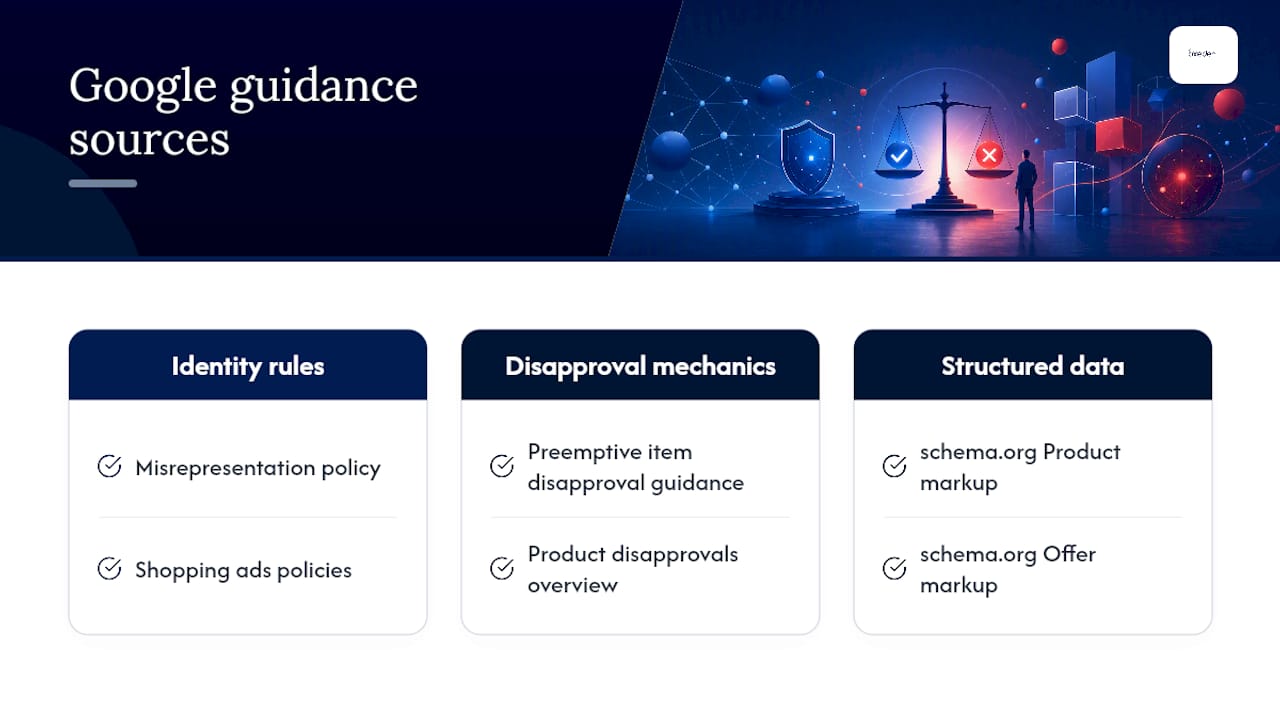

For the mechanics of automatic product disabling, see the preemptive item disapproval guidance and the product disapprovals overview, which explains where to find affected products inside Merchant Center. For structured product data that keeps your feed and landing pages aligned, schema.org documents the Product and Offer markup Google’s crawlers read directly.