


Audience signals are optional hints, not hard targeting rules. You tell Performance Max who you think your best customer looks like, but Google’s AI can and will serve ads to people outside that description if it believes they will convert. Your real controls remain conversion tracking, bid strategy, and assets. Expect new lists to populate in 24 to 72 hours, with the system needing up to two weeks to fully learn from them.
TL;DR:
- Audience signals inform Google’s AI about who your ideal customers are but do not restrict ad delivery, which can include users outside your specified lists.
- Effective signals are most influential in the first two to four weeks and should be refreshed regularly to maintain their predictive value.
- High-quality first-party lists, such as top-spending customers, outperform broad or stale audiences, especially in mature campaigns with strong conversion data.
- Proper setup involves verifying tag coverage, list size, and performing controlled tests to confirm audience population and impact before scaling.
- Merging similar asset groups and avoiding conflicting signals help prevent fragmented learning and optimize campaign performance.
Table of Contents
- What are pmax audience signals and why signals aren’t targeting
- How Performance Max actually uses audience signals
- Types of audience signals and allowable inputs
- When should you add audience signals to a campaign?
- How do you set up and verify audience signals?
- Best practices and mistakes that quietly waste budget
- How do you measure the impact of an audience signal?
- Search themes vs audience signals: using both together
- Practical ecommerce launch checklist
- What I’ve learned watching PMax accounts scale
- How Oxedent handles PMax audience signal audits
- Sources
- FAQ
What are pmax audience signals and why signals aren’t targeting
Google’s own documentation is unambiguous on this point: audience signals are suggestions that guide the AI toward your ideal customer, not restrictions that fence it in. That single distinction trips up more advertisers than any other part of Performance Max, and it is worth sitting with before you touch a single setting.
Think of PMax audience signals as a starting hypothesis, not a boundary. You are effectively telling Google’s machine learning models, “start here, these people look like buyers.” The system treats that as a prior, a useful head start, rather than a filter that excludes everyone else. If your signal points to past purchasers aged 35 to 44, but a 22-year-old with the same on-site behaviour is statistically more likely to convert, PMax will show that person your ad anyway.
Here’s a practical example. An ecommerce brand selling running shoes might upload a Customer Match list of previous buyers as an audience signal. Within a fortnight, the campaign starts converting a meaningful share of new customers who never appeared on that list at all, simply because the algorithm found similar buying signals in browsing behaviour, search context, and device patterns that had nothing to do with the uploaded list.
That is not a bug. It is the entire premise of Performance Max: broad automation with your input treated as guidance rather than gospel. A few things follow from this:
- Signals influence early delivery and speed of learning, especially in new asset groups.
- They rarely override strong conversion data once a campaign has enough history.
- Removing a signal will not “break” targeting, because it was never a hard fence to begin with.
- The AI reassesses who converts continuously, so yesterday’s ideal customer can shift next month.
How Performance Max actually uses audience signals
Performance Max ranks its inputs in a clear hierarchy, and audience signals sit near the bottom of it. Conversion data comes first: every optimisation decision traces back to what you have told Google counts as a conversion, so a messy or duplicated conversion action distorts everything downstream. Bid strategy comes second. Whether you run Maximise Conversion Value or a Target ROAS, smart bidding decides how aggressively to chase a given impression, and it does that using real-time signals about the user, not your uploaded list. Our breakdown of Performance Max mechanics covers why this ordering matters more than most advertisers assume.
Assets come third. The images, headlines, and product feed in an asset group determine what actually gets shown once the algorithm has decided to bid. Audience signals sit fourth in that chain, nudging early delivery and helping the system find look-alike patterns faster, particularly in the first few weeks of a new asset group’s life.
So when will PMax actually follow your signal, and when will it quietly ignore it? Use this short diagnostic when a campaign is not behaving as expected:
- Check campaign age. Signals carry more weight in the first two to four weeks; mature campaigns rely more on accumulated conversion history.
- Check conversion volume. A low-volume account gives the algorithm less to learn from, so it leans harder on your signal as a placeholder.
- Check signal quality. A stale or generic list (all site visitors, for instance) gives the AI a weak prior it will abandon quickly.
- Check for conflicting signals. Layering a broad “in-market” segment against a narrow first-party list confuses the starting hypothesis rather than sharpening it.
Types of audience signals and allowable inputs
PMax audience targeting accepts several distinct categories of input, and each behaves differently depending on the data quality behind it. According to the Google Ads API’s asset-group signal reference, signals are attached at the asset-group level through AssetGroupSignal, which accepts audience, search theme, and local services ID hints.
- First-party lists cover Customer Match uploads, website visitors, YouTube viewers, and app users. Customer Match lists generally need a minimum size before Google will use them meaningfully, and stale lists degrade quietly, so refreshing them on a set schedule matters more than most advertisers realise.
- Google’s own segments include in-market audiences, affinity audiences, demographics, and life events. These help most when you lack a large first-party dataset, or when you are targeting a genuinely new market segment where you have no historical customers to draw from.
- Custom segments let you build an audience from specific keywords, URLs, or apps that describe intent rather than identity. These suit niche products where “people who searched for X” is a sharper signal than any demographic bucket.
- Asset-group scoped audiences apply only to the group they are attached to, while customer-level audiences can be reused across multiple asset groups within an account. Upgrading a useful asset-group signal to customer scope saves you rebuilding the same list for every new launch.
The Google Ads API also flags optimisation actions such as REFRESH_CUSTOMER_MATCH_LIST and IMPROVE_GOOGLE_TAG_COVERAGE, both of which point at a wider truth: the signal is only as strong as the tagging and list hygiene feeding it.
When should you add audience signals to a campaign?
Audience signals are particularly useful in specific situations such as new product launches, where there is little conversion history. In such cases, signals built from your existing best customers can give the model a helpful starting point.
High-quality first-party segments make the strongest case for adding signals at all. If you can isolate your top-spending, highest-lifetime-value customers into a Customer Match list, you are handing the algorithm a far sharper prior than any generic in-market segment could offer. Nils Rooijmans’ analysis of PMax audience signals makes the case that trimming a list to the top slice of revenue-driving customers, and refreshing it regularly, outperforms dumping in a large, noisy list.
Mature campaigns with strong historical conversion data are the opposite case. When a campaign has substantial conversion history, added signals generally contribute little and can sometimes introduce noise. If a campaign already converts well, resist the urge to “improve” it with a fresh signal just because the option sits there unused.
How do you set up and verify audience signals?
Setting up PMax audience targeting is straightforward on the surface, but the failures that matter happen quietly, so verification deserves as much attention as setup itself.
- Confirm access and tagging first. Check you have admin access to the account, that the Google tag is firing correctly across the site, and that your conversion definitions are not duplicated or misconfigured. Broken measurement is the single most common cause of a signal appearing to “not work.”
- Create the audience. Inside Google Ads, build your Customer Match list, custom segment, or select a Google segment, and give it a name specific enough that you will recognise it in six months.
- Add the data source. For Customer Match, upload your customer data and let Google process the match rate before you rely on the list.
- Attach the signal to the asset group. Navigate to the relevant asset group and add the audience under audience signals, alongside any search themes you are running in parallel.
- Wait for population. Lists typically take 24 to 72 hours to populate, and you should treat anything faster with suspicion.
- Verify with a test conversion. Fire a test conversion through the funnel and confirm it appears correctly in the account before drawing any conclusions from performance data.
- Cross-check against CRM or GA4. Compare the audience size and conversion pattern Google reports against your own customer data to catch mismatches early.
Pro Tip: Document the exact list size and upload date the moment you attach a signal. When performance shifts three weeks later, you will want to know whether that coincided with a list refresh, not guess retroactively.
Best practices and mistakes that quietly waste budget
The single most damaging habit auditors keep finding is asset-group duplication: identical creative and identical product feed, split across two or three asset groups where only the audience signal differs. Search Engine Land’s analysis of PMax signals points to this as a recurring cause of fragmented learning, because Google’s models now have to split conversion data across groups that are functionally the same campaign wearing different signal hats.
Structure asset groups around product and creative differences instead, not around which audience you happen to be testing, a strategy supported by insights into the role of humor in outdoor brands to creatively differentiate asset groups. A group for running shoes and a group for hiking boots makes sense. Two identical running-shoe groups distinguished only by a demographic signal does not.
- Refresh Customer Match lists regularly rather than uploading once and forgetting them; stale lists lose predictive value fast.
- Check Google tag coverage across every key page, since gaps here quietly undermine every signal you add on top.
- Watch list size against the platform minimum. A list that falls below threshold effectively stops functioning as a signal at all.
- Avoid stacking conflicting signals in one asset group, such as a narrow first-party list alongside a very broad in-market segment.
Pro Tip: If two asset groups share more than 80% of their creative assets, merge them and use search themes or a single strong signal to differentiate intent instead of splitting your learning data in two.
How do you measure the impact of an audience signal?
Patience matters more than most dashboards suggest. New or updated lists take 24 to 72 hours to populate, and Google states that its machine learning models can need up to two weeks to fully integrate and optimise around a new signal.
Timeline to expect: list population in 24 to 72 hours; full model learning within roughly two weeks.
Once that window has passed, check the Insights page for audience population figures and conversion behaviour, then compare that lift against a control period from before the signal was added. A verification approach worth adopting: fire a test conversion, attach the audience, monitor population over the first three days, then run a controlled 14-day window comparing spend and conversion trends against a baseline campaign or against your CRM data, before deciding whether to iterate or drop the signal.
If two weeks pass with no measurable uplift, and your CRM or GA4 numbers diverge meaningfully from what Google reports, that is your signal to stop and rebuild the setup rather than wait longer for the same result.
Search themes vs audience signals: using both together
Search themes describe the what, the queries and phrases you expect a buyer to search for. Audience signals describe the who, the characteristics of the person you think will convert. Google frames these as complementary inputs rather than competing ones, and pairing them well can genuinely accelerate learning.
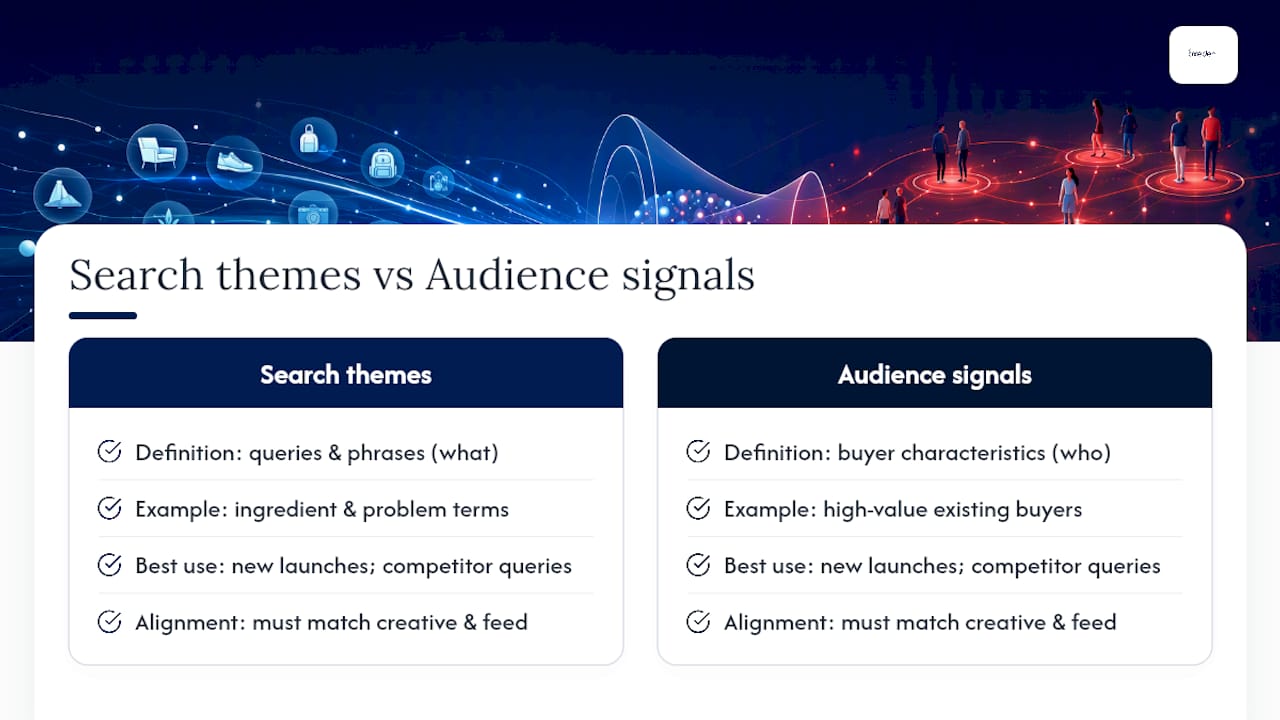

Pairing works best around new launches and competitor-query steering, where you want to nudge PMax toward specific search behaviour while also pointing it at a customer profile. A new skincare line, for example, might pair search themes built from ingredient and problem terms with an audience signal drawn from existing high-value buyers.
The practical discipline is alignment: make sure your creative and product feed actually match whatever themes and signals you have added. A mismatch between a signal suggesting bargain hunters and a feed full of premium pricing confuses the very learning process you are trying to speed up.
Practical ecommerce launch checklist
Before switching on a new Performance Max campaign, ecommerce advertisers benefit from a short, repeatable sequence rather than improvising each time.
- Confirm measurement is solid: Google tag firing correctly, conversion definitions clean and non-duplicated.
- Prepare a trimmed, high-value customer list rather than uploading every contact you have.
- Design asset groups around product and creative differences, following the structure covered in our guide to scaling Performance Max for ecommerce.
- Add audience signals to speed early learning, particularly on brand-new asset groups with no history.
- Run a two-week evaluation window before making any structural changes.
- Compare Google’s reported figures against CRM or GA4 data to catch discrepancies early.
- Document the configuration, then set a monthly audit cadence to review list freshness and tag health.
What I’ve learned watching PMax accounts scale
The gap between what audience signals promise and what they deliver comes down to data quality, not clever configuration. A pristine Customer Match list of your top 10% of customers beats a sprawling in-market segment every time, yet most accounts I see do the opposite.
Bring in specialist help once server-side tracking, CRM integrations, or multi-channel attribution enter the picture. That is where speed and DIY control trade off hardest against getting measurement genuinely right, and where a proper audit earns its cost back quickly.
— Biplab
How Oxedent handles PMax audience signal audits
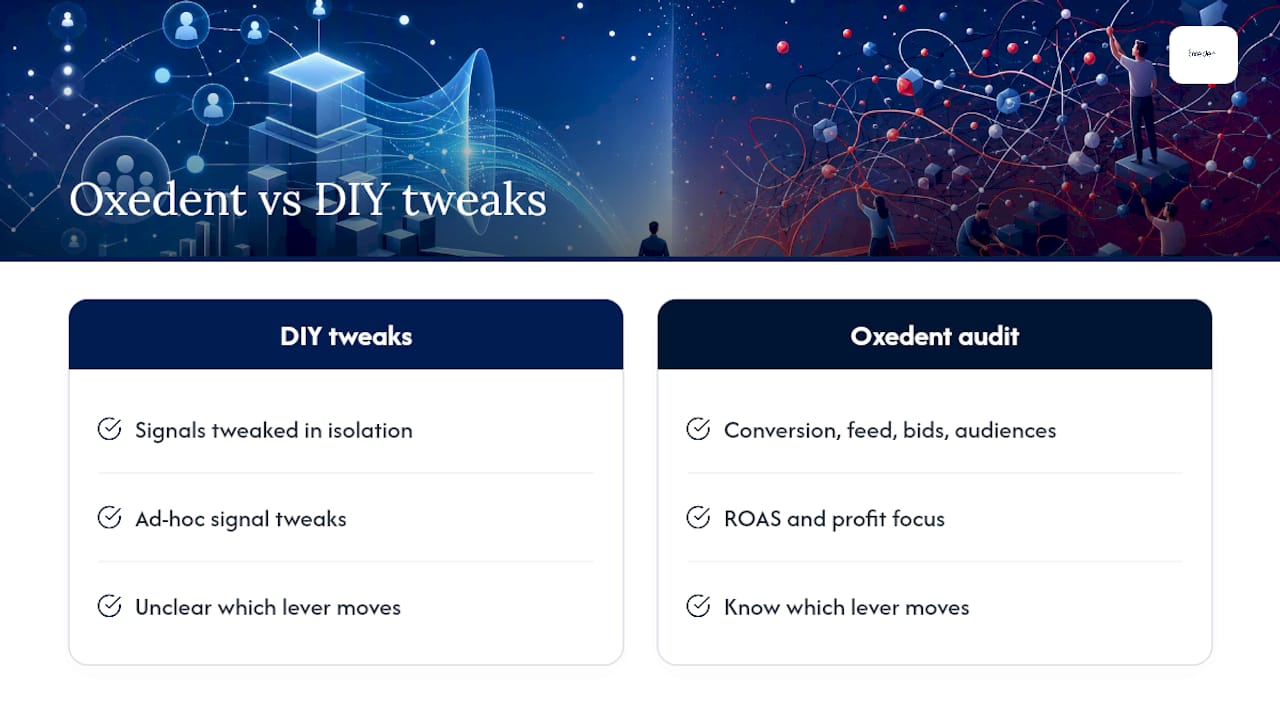
Oxedent is the alternative to guessing your way through Performance Max settings: rather than tweaking signals in isolation, we audit the whole stack, conversion tracking, feed, bid strategy, and audience signals together, so you know which lever is actually moving performance.


If your team has limited time to chase list refresh schedules and tag coverage every month, or your measurement setup has grown complex enough that CRM and Google Ads no longer agree on the numbers, that is precisely when specialist management earns its keep. Oxedent’s Performance Max and Google Ads management covers audits, feed optimisation, and ongoing campaign work with a focus on ROAS and profit, not click volume. Shopping-led brands can also see how signal and feed work combine in our guide to Google Shopping management that scales profit.
Pricing for ongoing PPC management is detailed on the client’s pricing page. If you want a second opinion on your current setup first, start with a free Google or Facebook Ads audit and see exactly where your PMax signals, bidding, and feed are leaving performance on the table.
Sources
This guide draws on Google’s audience signals documentation, the Google Ads API asset-group signal reference, and practitioner analysis from Search Engine Land, alongside setup guidance from COREPPC and Nils Rooijmans.
- About audience signals for Performance Max campaigns
- Asset Group Signals | Google Ads API | Google for Developers
- Google Ads PMax: The truth about audience signals and search themes
FAQ
What does PMax mean in advertising?
PMax is short for Performance Max, a Google Ads campaign type that uses machine learning to place ads automatically across Search, Display, YouTube, Gmail, and Maps from one campaign. Audience signals, conversion data, and assets all feed into how PMax decides where to spend your budget.
What are the main types of audience signals in Performance Max?
The main categories are first-party lists such as Customer Match and website visitors, Google’s own segments like in-market and affinity audiences, and custom segments built from keywords, URLs, or apps. Each type is added as a hint at the asset-group level rather than as a hard targeting rule.
What are the four types of target audiences advertisers typically define?
Most advertisers work with some combination of demographic audiences, interest or affinity audiences, in-market or intent audiences, and first-party remarketing lists. In Performance Max, all four can be uploaded as audience signals, but the AI treats every one of them as a starting suggestion rather than a strict filter.
How long does it take for audience signals to affect performance?
New or updated lists typically take 24 to 72 hours to populate, and Google’s models can take up to two weeks to fully learn from a new signal. Judging a signal’s impact before that window closes usually leads to the wrong conclusion.
Can Performance Max ignore my audience signals completely?
Yes, and this is by design. If the AI finds users outside your signal who show a higher likelihood of converting, it will serve ads to them anyway, because conversion tracking and bid strategy carry more weight in the delivery decision than the signal itself.