



You’ll find your PMax placement report in Google Ads under Campaigns → Insights and reports → Report editor → Performance Max campaigns placement. Treat what it shows you as a visibility and brand safety check, not a profitability report. By default, it lists placements and impressions, but it won’t give you full cost, conversion, or revenue attribution, so don’t use it alone to judge whether a placement is earning its keep.
TL;DR:
- The placement report shows impressions and visibility data but does not include full cost or conversion attribution, so it cannot be used solely to assess campaign profitability.
- Custom reports can be built easily in the report editor to include additional contextual columns, such as placement type or network, for more detailed analysis.
- Google limits visibility by excluding search impressions and aggregating data across Google-owned properties, which can lead to sparse or incomplete placement information.
- Effective exclusion of undesirable placements requires exporting, flagging, and applying account-level exclusions, with limits on shared exclusion lists and typical delays of about 12 hours for changes to take effect.
- A two-pass review process focusing on safety and effectiveness, combined with an exclusion log and careful oversight, reduces the risk of misacting on visibility data alone.
Table of Contents
- How do I open the predefined Performance Max placement report?
- How do I build a custom PMax placement report?
- Why does my placement report look empty or unreliable?
- How do I turn placement data into safe exclusions?
- What’s the agency-grade way to review PMax placements?
- What do the 2026 reporting changes mean for PMax visibility?
- Get expert help auditing your PMax placements
- Sources
- FAQ
How do I open the predefined Performance Max placement report?
Google Ads keeps a ready-made placement report tucked inside the reporting section, and most PPC managers never open it because they don’t know it’s there. Here’s the fastest route to it.
- Sign in to Google Ads and select the account (or manager account) with the Performance Max campaign you want to check.
- Click Campaigns in the left-hand menu, then go to Insights and reports.
- Open Report editor and search for the “Performance Max campaigns placement” predefined report.
- Adjust the date range at the top right, since the default window is often too narrow to show meaningful volume.
- Apply any filters you need, such as a specific campaign or asset group.
- Use the download icon to export as a CSV or Google Sheets file, or click Schedule to have it emailed on a recurring basis.
The official Google Ads Help documentation confirms this is the intended path for finding or building placement reports, and it’s worth bookmarking because Google occasionally shifts menu labels between updates. Once exported, don’t analyse it in the UI panel. Pull it into a spreadsheet where you can sort and filter properly.
How do I build a custom PMax placement report?
The predefined report is a good starting point, but a custom performance max placement report gives you more control over the columns and lets you tailor the export to your own triage process. Building one takes about two minutes once you know which fields to select.
- In the Report editor, choose Performance Max placement as a row under Attributes. This pulls in the placement column automatically.
- Add Impr. under Performance in Columns, since impression volume is the metric this report is built to surface.
- Optionally add Performance Max placement type, which isn’t included by default but adds useful context (web page, mobile app, video, and so on).
- Layer in extra columns where relevant: network, channel, and “ads using product data” all help you segment the data further.
- Save the report with a clear name (something like “PMax Placement Triage”) so you or a colleague can find it again without rebuilding it.
- Schedule it weekly or monthly and export to CSV for the cleanest column hygiene when you’re merging it with other data later.
Naming your fields consistently matters more than it sounds. If you’re running this across several PMax campaigns, a report editor set with mismatched column labels turns triage into a guessing game fast.
Why does my placement report look empty or unreliable?
A sparse placement report doesn’t mean your PMax campaign isn’t serving. Google explicitly notes that placement reporting only applies to certain inventory types, so limited rows can simply mean your budget is landing on channels where placement-level reporting isn’t relevant in the first place.
A handful of definitions come up constantly once you start reading these exports:
| Placement label | What it means |
|---|---|
| Web page | A specific site or page within the Display or Search Partner network where your ad appeared |
| Mobile app | A named app where your ad was shown |
| YouTube video | A specific video that served your ad |
| Google owned & operated | Traffic aggregated across Google’s own properties, not broken out further |
| anonymous.google | Impressions Google can’t attribute to a specific site or app for privacy or policy reasons |
| Video no longer available | A YouTube video that has since been removed or made private |
Google deliberately excludes Search impressions from this report, and it aggregates certain owned properties rather than listing them individually. That’s a policy decision, not a data gap you can fix by adjusting filters.
If your numbers still look off, run through a quick diagnostic pass: check the date range first (the most common culprit), then cross-reference the channel performance report, review asset diagnostics for delivery warnings, and check the “where ads showed” view for a second confirmation. Absence of rows is not the same as absence of delivery, and reading it that way leads to decisions based on incomplete evidence.
How do I turn placement data into safe exclusions?
Exporting the data is only step one. What you do with it determines whether you protect your budget or accidentally choke off inventory that was quietly converting well. Google’s own guidance is blunt about this: the placement report doesn’t carry complete cost, click, or conversion attribution, so treat high impressions as a flag to investigate, not a verdict.
- Export and sort. Group your placement export by placement type, network, and impressions to surface the outliers fastest.
- Flag, don’t act yet. Mark domains, apps, or videos that are obviously unsuitable, brand unsafe, or irrelevant to your product category.
- Apply exclusions at account level. Go to Content suitability → Excluded placements and add the flagged items. Performance Max placement exclusions apply to the whole account, not a single campaign.
- Use MCC lists for scale. If you manage multiple accounts, build a shared exclusion list in the Shared library under your manager account, then apply it across the linked accounts that need it.
- Respect the limits. Google caps account-level placement exclusions at 65,000, and manager accounts can create up to three shared lists. UI batch limits are smaller than API batch limits, so large uploads may need the API.
- Expect a delay. New exclusions typically take effect within roughly 12 hours, so don’t panic if a placement still shows impressions the next morning.
Pro Tip: Before excluding anything at account level, check whether the placement also appears in another campaign that’s performing well there. An account-wide exclusion doesn’t care which campaign flagged it.
What’s the agency-grade way to review PMax placements?
Most placement exclusion mistakes happen because someone acts on visibility data alone. A two-pass workflow with ecommerce accounts is a useful approach to avoid that trap, and it’s worth adopting whether or not you work with an agency.
- Pass one, suitability. Pull the placement export and screen purely for brand safety: adult content, competitor domains, low-quality apps, anything that shouldn’t sit near your brand regardless of how it performs.
- Pass two, effectiveness. Before excluding anything flagged as merely “underperforming” rather than unsafe, check the channel performance report, conversion data, and analytics to confirm it’s genuinely a drag rather than a quiet contributor to assisted conversions.
- Keep an exclusion register. Log the placement identifier, the reason for exclusion, the evidence reviewed, which accounts it touches, who approved it, and when it’s due for review.
- Record every change. Google Ads keeps a Change history log. Cross-reference it against your register so nothing gets excluded twice or reversed without a trace.
- Govern MCC lists carefully. A shared exclusion list touches every linked account, so review it with the same scrutiny you’d give a single-account change, and schedule periodic audits rather than a one-off clean-up.
Pro Tip: If you manage several brands under one MCC, tag your exclusion register by account before you touch a shared list. It’s the fastest way to spot when one client’s exclusion is about to affect another client’s inventory.
What do the 2026 reporting changes mean for PMax visibility?
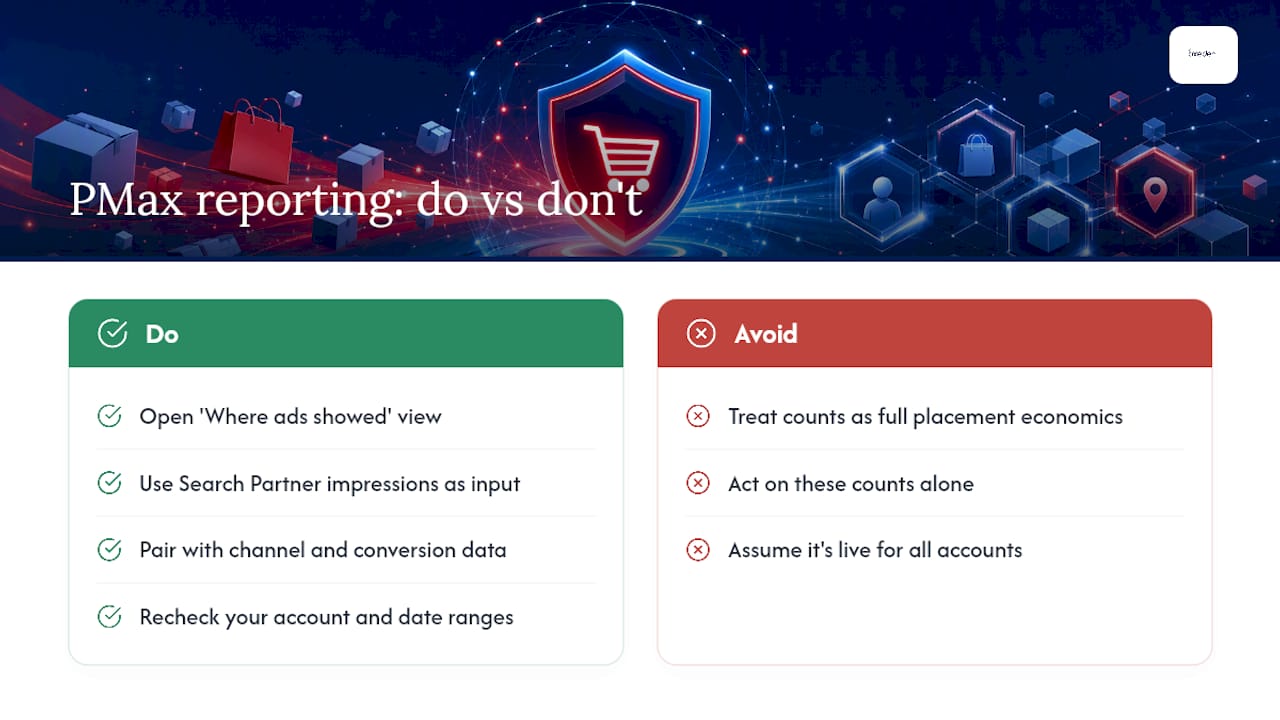
Google’s rollout in 2026 now surfaces Search Partner domains and their impression counts inside the “where ads showed” view, closing a visibility gap many advertisers had flagged for years. It doesn’t, however, hand you full placement-level economics. Use the extra visibility as one input among several, not the deciding factor, and always pair it with channel and conversion data before you act. Coverage of this change appears to vary between accounts, so recheck your own reports and date ranges rather than assuming it’s live everywhere at once.

Get expert help auditing your PMax placements
Reading a placement export correctly takes time most in-house PPC managers don’t have spare, especially when you’re also running Shopping feeds, Facebook campaigns, and landing page tests on the same day. Oxedent works exclusively with established ecommerce brands, applying the two-pass placement review and account-level exclusion governance described above as standard practice, not a one-off exercise.


If you want a second pair of eyes on your account before you exclude anything, Oxedent’s free Google/Facebook Ads audit is the simplest starting point. For ongoing management that folds PMax optimisation, exclusion governance, and Shopping feed work into one retainer, the PPC management service starts from £350 per month with no long-term contract. Request an audit and you’ll get a clear read on what your placement data is actually telling you, before you touch a single exclusion.
Sources
- Find or create placement reports for your Performance Max campaigns – Google Ads Help
- Exclude placements at account level – Google Ads Help
- Google Ads surfaces PMax search partner domains in placement report – Search Engine Journal
FAQ
Where can I see PMax placements?
You’ll find them in Google Ads under Campaigns → Insights and reports → Report editor, using either the predefined “Performance Max campaigns placement” report or a custom one built with the Performance Max placement attribute. The report shows placement and impression data but not full cost or conversion attribution.
How is PMax calculated?
Performance Max doesn’t publish a single “calculation” for placement selection. It’s driven by Google’s machine learning across Search, Display, YouTube, Discover, Gmail, and Maps inventory, optimising toward the goals and signals set in your campaign rather than a fixed formula you can reverse-engineer from the placement report.
What is the difference between PMax and PPC?
PPC is the billing model, pay per click, that underpins most Google Ads campaign types, including Performance Max. Performance Max is a specific automated campaign type that bids and places ads across all of Google’s inventory from one campaign, whereas standard PPC campaigns like Search or Display let you control placements and targeting more directly.
How to check PMax?
Check performance through the channel performance report for effectiveness by channel, and the placement report for visibility into where impressions landed. Reviewing both together, rather than either one alone, gives you the clearest read on how your PMax campaign is actually delivering.