


Budget allocation in PPC is defined as the strategic process of distributing advertising spend across campaigns, channels, and funnel stages to maximise return on ad spend. The role of budget allocation in PPC goes far beyond setting a monthly cap. It determines which campaigns receive fuel to grow, which audiences you reach, and whether your Google Ads, Google Shopping, or Performance Max campaigns generate profitable revenue or simply burn through cash. Get it right and your spend compounds. Get it wrong and even well-structured campaigns underperform. This guide covers the modern, data-driven approach that ecommerce marketers need in 2026.
What are the key strategies for effective budget allocation in PPC?
Static budget splits are outdated. Fixed ratios like 40/60 between brand and non-brand, or upper and lower funnel, ignore the reality that campaign performance shifts constantly. Modern PPC budget planning demands dynamic, data-led allocation that moves spend based on what the funnel is actually doing.
The most practical framework splits your total budget into two distinct pools:
- Evergreen campaigns: Proven, always-on campaigns targeting high-intent audiences. These receive the majority of your budget because they deliver predictable returns.
- Testing campaigns: New audiences, creatives, and match types. A 70/30 budget split between evergreen and testing campaigns supports stability while enabling experimental growth.
- Funnel-stage budgets: Upper funnel (awareness and consideration) and lower funnel (conversion) campaigns need separate budget lines, not a shared pot.
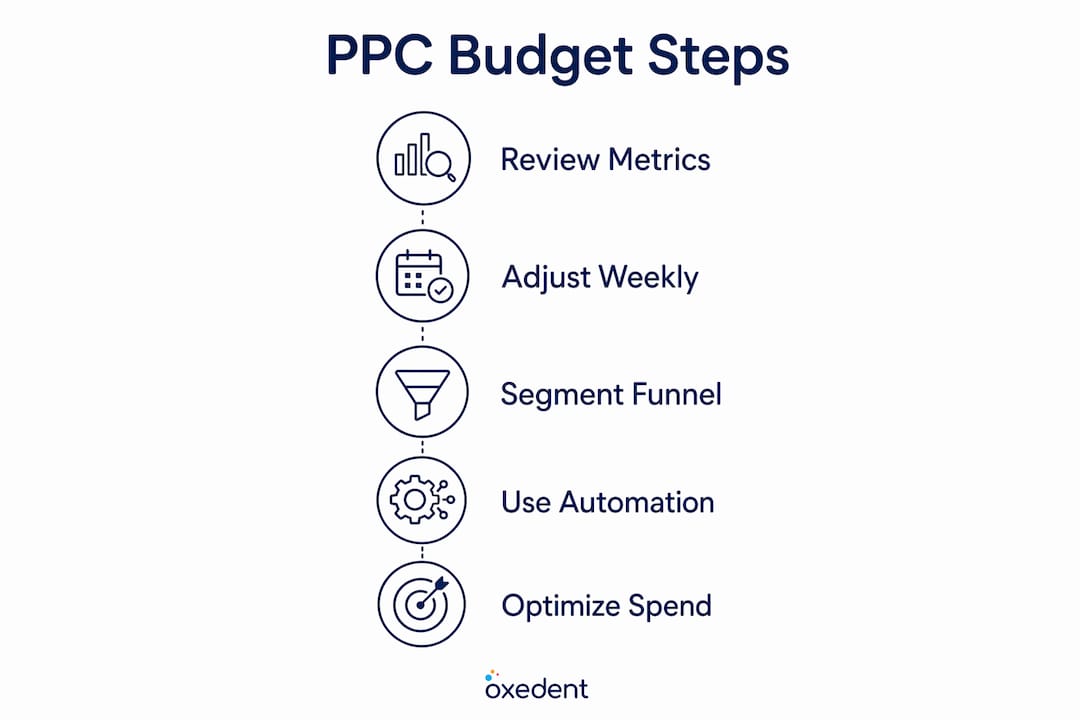
- Reallocation triggers: When a funnel stage shows clear performance signals, shift 5–10% of total budget per adjustment cycle rather than making large, disruptive changes.
The logic behind dynamic allocation is straightforward. If your Shopping campaigns are generating strong ROAS and your Demand Gen campaigns are showing rising click-through rates, you shift budget toward Shopping rather than waiting for a monthly review. Waiting costs you revenue.
Pro Tip: Set a fixed weekly review cadence. Check funnel health indicators every Monday and make budget adjustments before the week’s spend accelerates. Small, frequent moves outperform large, infrequent ones.


PPC budget planning also means separating acquisition from retention. Running retention campaigns with their own distinct budget and goals, rather than blending them with acquisition, keeps your bidding signals clean and your cost per acquisition accurate.
How do funnel stages influence PPC budget distribution?
Upper funnel and lower funnel campaigns serve entirely different purposes. Lower funnel campaigns, such as branded search and Shopping, target people ready to buy. Upper funnel campaigns, such as Display and YouTube, build awareness among people who do not yet know your brand. Treating them as equals in budget planning is a common and costly mistake.
The critical insight most ecommerce marketers miss is the lag effect. Upper funnel spend does not convert immediately. There is typically a 4–8 week delay between an upper funnel impression and a resulting lower funnel conversion. This means:
- Do not judge upper funnel campaigns on short-term ROAS. The revenue they generate appears in your lower funnel data weeks later.
- Track branded search volume as a leading indicator. Rising branded search queries signal that upper funnel investment is generating real demand worth scaling.
- Increase lower funnel budgets when upper funnel signals are strong. If branded search volume is climbing, your Shopping and search campaigns need more budget to capture the demand you have created.
- Reduce upper funnel spend when branded search volume plateaus. This is your signal that current awareness levels are sufficient and budget is better deployed closer to conversion.
“Optimising purely for current-month ROAS may sabotage future pipeline because of the sales lag from upper funnel campaigns.”
This lag effect is why fixed budget ratios fail. A brand running a heavy YouTube campaign in january will see the revenue impact in february or march. If you cut upper funnel spend in january because the ROAS looks poor, you starve your lower funnel of future demand. The role of PPC funding across funnel stages is to build a pipeline, not just capture today’s buyers.
Understanding PPC’s role in ecommerce growth means accepting that some budget exists to create demand, not just harvest it.

How do data and automation tools shape PPC budget decisions?
The biggest source of poor budget decisions is confusing platform metrics with business metrics. These are not the same thing, and treating them as equivalent leads to misallocated spend.
| Metric type | Examples | What it tells you |
|---|---|---|
| Platform metrics | CTR, CPC, impression share | How your ads are performing within Google Ads |
| Business metrics | ROAS, CAC, revenue, lifetime value | Whether your spend is generating profitable growth |
Misalignment between these two metric types is the leading cause of PPC budget allocation failures. A campaign with a strong CTR but a poor return on ad spend is not a success. Build a weekly dashboard that separates these two layers clearly. Your media buyer needs platform metrics to optimise. Your finance team needs business metrics to approve budget increases.
On the automation side, Google Ads Smart Bidding and Performance Max change how budgets flow. Performance Max campaigns automatically distribute budget across Search, Shopping, Display, YouTube, and Gmail based on the total budget you set. You do not control the channel split directly. This makes your total budget decision more consequential, not less.
Google Ads also treats your daily budget as a monthly average. The monthly cap equals your daily budget multiplied by 30.4. On any given day, Google can spend up to twice your daily budget, but will not exceed the monthly total. Use this when planning: divide your monthly target by 30.4 to set the correct daily budget figure.
Demand-led pacing is a newer feature rolling out for Search and Shopping campaigns. It dynamically shifts daily spend toward periods of predicted higher consumer demand within your existing budget. This means your budget works harder during peak demand windows without requiring manual intervention.
Pro Tip: Feed your Smart Bidding algorithms only with high-intent, revenue-generating conversions such as purchases and subscription sign-ups. Soft conversions like newsletter sign-ups dilute the signal and reduce budget efficiency.
What practical steps help ecommerce marketers scale PPC budgets profitably?
Scaling PPC budgets profitably requires patience and a clear process. The most common mistake is increasing budgets too quickly, which disrupts automated bidding algorithms and produces unreliable performance data.
- Increase always-on campaign budgets by 10–20% per week. Use your monthly target divided by 30.4 to set accurate daily budgets and avoid overspend.
- Use 60–90 day evaluation windows for B2B ecommerce or long sales cycles. Short 30-day windows cut spend before attribution data fully reflects campaign value, leading to premature campaign termination.
- Exclude existing customers from acquisition campaigns. Use Customer Match to focus budget on new customer acquisition and avoid blending retention signals into your acquisition bidding.
- Feed bidding algorithms with purchase data only. Soft conversions like page views or email sign-ups train your algorithms to chase low-value actions, wasting budget on traffic that does not convert to revenue.
- Pause campaigns based on data, not impatience. A campaign that looks flat at week three may be building the pipeline that converts in week seven.
Profitable scaling also means knowing when not to increase budgets. If your cost per acquisition is rising and your conversion rate is falling, adding budget accelerates the problem. Fix the campaign structure first, then scale. Oxedent’s approach to scaling ecommerce ads profitably follows exactly this sequence: diagnose, fix, then fund.
Key takeaways
Effective budget distribution in PPC requires dynamic, funnel-aware allocation driven by business metrics, not fixed ratios or platform vanity data.
| Point | Details |
|---|---|
| Dynamic allocation beats fixed splits | Shift 5–10% of total budget per cycle based on funnel performance signals, not preset ratios. |
| Upper funnel has a 4–8 week lag | Judge awareness campaigns on branded search volume growth, not immediate ROAS. |
| Separate platform and business metrics | Build a weekly dashboard tracking CTR and CPC separately from ROAS, CAC, and revenue. |
| Scale budgets incrementally | Increase always-on campaigns by 10–20% per week and use 30.4 as your daily budget divisor. |
| Feed algorithms with purchase data only | Exclude soft conversions from Smart Bidding signals to keep budget focused on revenue. |
Biplab’s take: why most PPC budgets are set up to fail
The most persistent mistake I see in ecommerce PPC is treating budget allocation as a one-time decision. Marketers set a monthly figure in january, divide it across campaigns, and revisit it in april. By then, the market has shifted, seasonal demand has peaked and troughed, and the data is telling a story nobody read.
The second mistake is chasing current-month ROAS at the expense of pipeline. I have watched brands cut upper funnel spend because the numbers looked soft, only to see their Shopping campaign performance collapse six weeks later when demand dried up. The lag between awareness investment and conversion is real, and ignoring it is expensive.
What actually works is treating budget allocation as a weekly operating decision, not a monthly finance exercise. You track branded search volume as a leading indicator. You watch your add-to-cart rate and conversion rate together, not in isolation. When both are climbing, you increase budget. When one drops, you investigate before you spend more.
The brands that scale profitably are not the ones with the biggest budgets. They are the ones who move budget with confidence because they understand what their data is telling them. That requires clean measurement, separate dashboards for platform and business metrics, and the discipline to hold a 60–90 day evaluation window even when short-term numbers look uncomfortable.
— Biplab
How Oxedent supports effective PPC budget management
Oxedent works exclusively with ecommerce brands that are ready to treat PPC budget allocation as an ongoing, data-driven discipline rather than a set-and-forget task.

The team manages Google Ads, Google Shopping, Facebook Ads, and Performance Max campaigns with a clear focus on profitability and return on ad spend. Every budget decision is grounded in business metrics, not platform vanity figures. If you want a specialist team to manage your ecommerce PPC campaigns with the same rigour described in this guide, Oxedent offers a no-obligation audit to identify where your current budget is working and where it is not. There are no long-term contracts and no vague promises. Just clear, performance-led management built around your revenue goals.
FAQ
What is PPC budget allocation?
PPC budget allocation is the process of distributing advertising spend across campaigns, channels, and funnel stages to maximise return on ad spend. It involves dynamic adjustments based on performance data rather than fixed ratios.
How often should I adjust my PPC budget?
Review your budget weekly and make incremental adjustments of 5–10% based on funnel performance signals. Avoid large, infrequent changes that disrupt automated bidding algorithms.
What is the right split between upper and lower funnel PPC spend?
There is no single correct ratio. Dynamic allocation based on funnel health indicators outperforms any fixed split. Use branded search volume growth as your signal to increase upper funnel investment.
How do I scale a PPC budget without wasting spend?
Increase always-on campaign budgets by 10–20% per week and use a 60–90 day evaluation window for campaigns with longer sales cycles. Exclude soft conversions from your bidding signals to keep algorithms focused on revenue.
Why does my Google Ads daily budget not match actual daily spend?
Google Ads treats your daily budget as a monthly average. The monthly cap is your daily budget multiplied by 30.4, and Google can spend up to twice your daily budget on any single day within that monthly limit.