


Google Analytics is defined as the measurement layer that connects what happens after an ad click to the decisions you make before the next one. The role of Google Analytics in PPC is to translate raw user behaviour into campaign intelligence, giving you attribution clarity, audience data, and conversion signals that Google Ads alone cannot produce. When you link GA4 with Google Ads, you gain access to on-site engagement metrics, multi-touch attribution, and remarketing audiences that directly feed Smart Bidding algorithms. For eCommerce PPC managers, this integration is the difference between optimising on clicks and optimising on revenue.
How does Google Analytics integration enhance PPC performance tracking?
Linking Google Ads and GA4 creates bidirectional data sharing. Your Google Ads cost data flows into GA4 reports, and your GA4 conversion events flow back into Google Ads for bidding. This connection is what makes audience-level optimisation possible at scale.
The technical foundation rests on two mechanisms. Auto-tagging appends a gclid parameter to every ad click, passing session data directly into GA4 without manual effort. Manual UTM parameters act as a fail-safe when gclid is stripped by browser redirects or third-party platforms, preserving campaign attribution where auto-tagging cannot reach. Running both in parallel is not redundant. It is the only way to guarantee complete data.


The performance gains from this setup are measurable. Integration improves ROAS by 15 to 25% within 30 days and delivers 20 to 30% better Smart Bidding results. That improvement comes from feeding richer conversion signals into Google’s bidding engine, including micro-conversions such as newsletter signups and video views that imported GA4 events surface beyond what direct Google Ads tracking captures.
| Capability | Without integration | With GA4 and Google Ads linked |
|---|---|---|
| Conversion tracking | Last-click, Google Ads only | Multi-touch, GA4 events imported |
| Audience segmentation | Basic demographic targeting | Behavioural segments from GA4 |
| Attribution modelling | Data-driven within Ads | Cross-channel, GA4 attribution |
| Smart Bidding signals | Purchase events only | Micro and macro conversions combined |
| Discrepancy visibility | No cross-reference available | 10 to 15% variance is normal and explainable |
Pro Tip: Configure auto-tagging in your Google Ads account settings and add UTM parameters to every ad URL as a backup. Check that your GA4 property is receiving gclid data by filtering sessions by source in the Traffic Acquisition report within 48 hours of linking.
Different attribution models and time zone settings explain 10 to 15% discrepancies between Google Ads and GA4 conversion data. Discrepancies above 30% signal a structural problem, most commonly disabled auto-tagging or mismatched conversion windows. Knowing this benchmark stops you from chasing phantom data issues and keeps your focus on genuine optimisation.
What GA4 reports give you the best PPC insights?
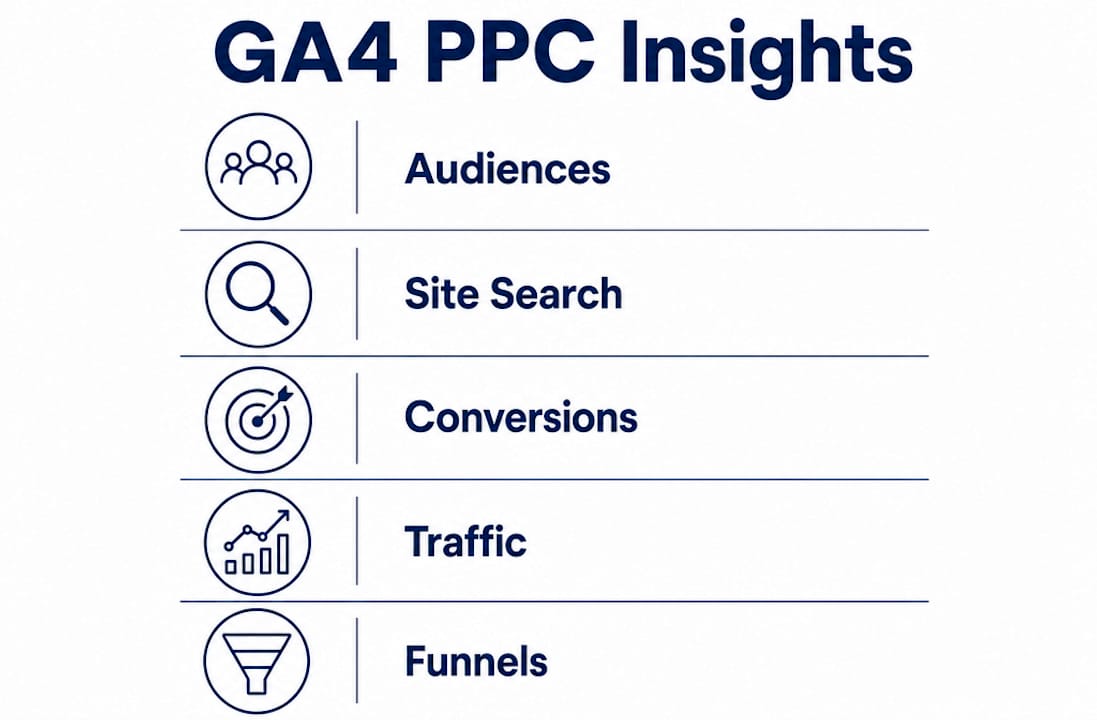
GA4 contains dozens of reports, but PPC managers need to prioritise five that directly inform campaign decisions. Using Google Analytics for PPC means knowing which reports to open and what questions to bring to them.
- Audiences report: Identifies high-performing user segments by behaviour, purchase history, and engagement depth. Build remarketing lists directly from these segments and push them to Google Ads for RLSA campaigns and audience bid adjustments.
- Site Search report: Reveals what users type into your on-site search after clicking a PPC ad. The Site Search report uncovers intent gaps where your landing page fails to deliver what the user expected, and it surfaces keyword expansion opportunities you would never find in Google Ads search term reports alone.
- Conversion events report: Shows micro and macro conversions beyond last-click purchases. Add-to-cart rate, checkout initiation, and form completions each tell you where users drop off, which informs both bid strategy and landing page priorities.
- Traffic Acquisition report: Breaks down session quality by channel, campaign, and ad group. Use it to compare bounce rate and engagement time across PPC campaigns to identify which ad groups drive genuinely interested users versus low-quality traffic.
- Funnel Exploration report: Maps the exact steps users take from ad click to purchase. Drop-off points in this report are your highest-priority conversion rate optimisation targets.
The Site Search report is an underutilised goldmine for spotting customer intent gaps and keyword expansion opportunities. Most PPC managers never open it. The ones who do regularly find search terms that belong in their campaigns and landing page copy changes that lift conversion rates without touching bids.
GA4 reports reviewed monthly or quarterly reveal long-term audience behaviour patterns that daily account views miss entirely. A weekly check of Google Ads metrics is necessary for tactical decisions. A monthly GA4 review is necessary for strategic ones.

How to build a measurement plan for Google Analytics PPC tracking
A measurement plan translates business goals into specific GA4 events and conversion goals, creating a shared framework that aligns your tracking with what the business actually needs to measure. Without one, you end up with a GA4 property full of events that nobody acts on.
Build your measurement plan in this order:
- Define business objectives. Start with revenue targets, ROAS goals, and customer acquisition costs. Every tracking decision flows from these numbers.
- Map user actions to GA4 events. Identify which on-site actions represent progress toward your objectives. Add-to-cart, checkout start, purchase, and lead form submission are the obvious ones. Video engagement and scroll depth matter for awareness campaigns.
- Deploy tags via Google Tag Manager. Google Tag Manager centralises tag management, reducing errors and making updates faster without developer involvement for every change. Hardcoding tags directly into a website creates maintenance debt that compounds over time.
- Test every tag before campaigns go live. Use GTM’s Preview mode and GA4’s DebugView to confirm that events fire correctly across devices and browsers. A conversion tag that fires twice inflates your data and corrupts your Smart Bidding signals.
- Align attribution models and conversion windows. Match the attribution model and lookback window in GA4 with the settings in Google Ads. Mismatches are the most common cause of data discrepancies above 30%, which distort bidding decisions and reporting.
Pro Tip: Bring your developer, analyst, and PPC manager into the measurement plan review together. Marketers define what to measure, developers confirm what is technically feasible, and analysts validate the data output. Decisions made by any one of these roles in isolation produce tracking setups that break under real campaign conditions.
The measurement plan is a living document. Review it whenever you launch a new campaign type, update your website, or change your conversion goals. Treating it as a one-time setup is how data quality degrades silently over months.
What 2026 updates change the role of Google Analytics in PPC?
The Google Analytics PPC insights available to you in 2026 are materially different from those of previous years. Three updates in particular change how you collect data, measure performance, and interpret results.
- Consent Mode separation (effective 15 June 2026): Google has separated consent controls for Google Signals and Ads Consent Mode, with a 90-day grace period for compliance. Ads Consent Mode now exclusively governs Google Ads data collection. You need to audit your consent management platform to confirm that the correct consent signals are being passed for each product independently.
- Meridian Marketing Mix Model in Analytics 360: Google Analytics 360 now includes Meridian, a marketing mix model that provides unified cross-channel measurement and predictive scenario planning. The Gemini-powered Qualified Future Conversions metric links current ad spend to projected future revenue, giving PPC managers a longer-horizon view of campaign value than last-click attribution ever could.
- Ask Advisor AI agent: AI-driven unified performance layers will reduce dashboard switching by integrating Google Ads and Analytics data with funnel-level explanations. The Ask Advisor agent answers “what happened and why” directly within the interface, accelerating diagnosis of performance shifts.
The impact of Google Analytics in PPC is growing as these AI layers mature. Marketers who understand the underlying data structures will use these tools more effectively than those who treat them as black boxes. The 2026 consent changes in particular require immediate attention. Non-compliance does not just create legal risk. It degrades the quality of the data feeding your Smart Bidding campaigns.
Key takeaways
Google Analytics improves PPC performance by connecting on-site behaviour data with campaign bidding, attribution, and audience targeting in ways that Google Ads alone cannot replicate.
| Point | Details |
|---|---|
| Integration drives measurable gains | Linking GA4 and Google Ads improves ROAS by 15 to 25% within 30 days through richer bidding signals. |
| Use both gclid and UTMs | Auto-tagging handles most attribution; manual UTM parameters protect data when gclid is stripped. |
| Five GA4 reports matter most | Audiences, Site Search, Conversion Events, Traffic Acquisition, and Funnel Exploration drive the best PPC decisions. |
| Measurement plans prevent data waste | Translating business goals into GA4 events before campaigns launch protects data quality and ROAS. |
| 2026 updates require active response | Consent Mode separation and Meridian integration change how you collect and interpret PPC data. |
Why most PPC managers underuse their Analytics data
I have audited dozens of Google Ads accounts where the GA4 integration was technically correct but practically ignored. The link was live, the data was flowing, and nobody was reading it. That is the most common failure mode I see, and it costs more in wasted spend than a broken tag ever would.
The accounts that improve ROAS consistently are the ones where GA4 reports inform a monthly strategic review, not just a daily metrics check. Daily views tell you what your bids are doing. Monthly GA4 reviews tell you who your customers actually are, what they searched for after clicking your ad, and where they abandoned the funnel. Those are the insights that change campaign structure, not just bids.
The other pattern I see is over-reliance on Google Ads conversion data without cross-referencing GA4. When the two data sources agree, you can act with confidence. When they diverge significantly, that divergence is telling you something important about your tracking setup or your attribution assumptions. Ignoring it means optimising on numbers that do not reflect reality.
My honest recommendation is to treat your measurement plan as a product, not a project. It needs ownership, regular updates, and a clear process for testing changes. The marketers who do this consistently outperform those who set it up once and move on. The Google Ads for eCommerce accounts that scale reliably are built on data infrastructure that someone actively maintains.
— Biplab
How Oxedent uses Google Analytics to improve your PPC results
Oxedent specialises exclusively in eCommerce PPC, and GA4 integration sits at the centre of every campaign we manage. We audit existing tracking setups, identify conversion data gaps, and build measurement plans that align GA4 events with your actual revenue goals.

If your Google Ads account is running on incomplete or misattributed conversion data, every bidding decision is compromised. Oxedent’s eCommerce PPC management service covers full GA4 and Google Ads integration, consent compliance, and ongoing data quality monitoring. We also offer dedicated conversion tracking audits for brands that suspect their current setup is costing them performance. If you are ready to make your Analytics data work as hard as your ad spend, we can help.
FAQ
What is the role of Google Analytics in PPC?
Google Analytics connects on-site user behaviour with PPC campaign data, enabling attribution, audience segmentation, and conversion tracking beyond what Google Ads provides natively. This integration allows marketers to optimise bids, landing pages, and targeting based on what users actually do after clicking an ad.
How does linking GA4 and Google Ads improve performance?
Linking the two platforms enables bidirectional data sharing, feeding GA4 conversion events into Google Ads Smart Bidding and surfacing cost data inside GA4 reports. Research indicates this integration can improve ROAS by 15 to 25% within 30 days.
Why do Google Ads and GA4 conversion numbers differ?
A 10 to 15% discrepancy between Google Ads and GA4 is normal and explained by different attribution models and time zone settings. Discrepancies above 30% typically indicate disabled auto-tagging, mismatched conversion windows, or incorrect timezone configuration.
What GA4 reports should PPC managers prioritise?
The five most valuable GA4 reports for PPC are Audiences, Site Search, Conversion Events, Traffic Acquisition, and Funnel Exploration. The Site Search report is particularly underused and regularly surfaces keyword gaps and landing page issues that search term reports in Google Ads miss.
How do the 2026 Google consent changes affect PPC tracking?
Google separated consent controls for Google Signals and Ads Consent Mode from 15 June 2026, with a 90-day compliance window. Ads Consent Mode now exclusively governs Google Ads data, so you must update your consent management platform to pass the correct signals for each product independently.