


A Performance Max asset group is a themed collection of creative assets and audience signals that Google Ads uses to assemble ads across Search, Display, YouTube, Discover, Gmail and Maps, all from a single campaign. Think of it as the creative engine inside a PMax campaign: you supply the raw materials, Google’s automation decides which combination to show, where, and to whom.
Every asset group contains:
- Text assets: headlines, long headlines, descriptions and display URLs
- Image assets: square, landscape and portrait formats
- Logo assets: square and landscape versions
- Video assets: at least one, ideally multiple lengths
- Final URL: the landing page the ad points to
- Audience signals: first-party lists, custom segments or in-market audiences
- Product/listing feed (for retail campaigns): your Google Merchant Centre feed
Why does this matter? Because PMax runs across Google’s full ad inventory from a single campaign, and the asset group is the only lever you have over what gets shown. Better inputs produce better outputs.
Table of Contents
- What exactly does an asset group do inside a PMax campaign?
- Which assets belong in an asset group and what each one enables
- Asset specifications and recommended counts: a practical checklist
- How Google assembles ads from your asset group
- How to structure your asset groups for better results
- How to create, preview and manage an asset group in Google Ads
- Why video assets are mission-critical (and how to produce them cheaply)
- Common mistakes and how to diagnose them quickly
- Key takeaways
- When to manage asset groups yourself and when to bring in an agency
- Oxedent’s Performance Max audit and managed build service
- Useful sources and official specs
What exactly does an asset group do inside a PMax campaign?
An asset group organises your creatives and audience signals into a single, coherent unit. Google’s automation then draws from that unit to build ads appropriate for each placement, whether that is a text-based Search result, a visual Display banner or a YouTube pre-roll.


A few structural rules are worth knowing upfront. Each PMax campaign requires at least one asset group and can hold up to 100. Asset groups cannot be shared across campaigns, so every campaign maintains its own set. That limit of 100 per campaign gives you plenty of room to segment by theme, audience or product category without needing multiple campaigns.
Compare this to a traditional ad group. In a standard Search campaign, an ad group holds keywords and ads targeting a specific intent. In PMax, there are no keywords to manage directly. The asset group replaces that structure: it signals intent through audience data and creative relevance rather than keyword lists. For an ecommerce brand selling outdoor gear, you might build one asset group around hiking boots with trail-specific imagery and copy, and a separate one for waterproof jackets with different visuals and a distinct landing page. Each group trains the algorithm on a different offer.

Which assets belong in an asset group and what each one enables
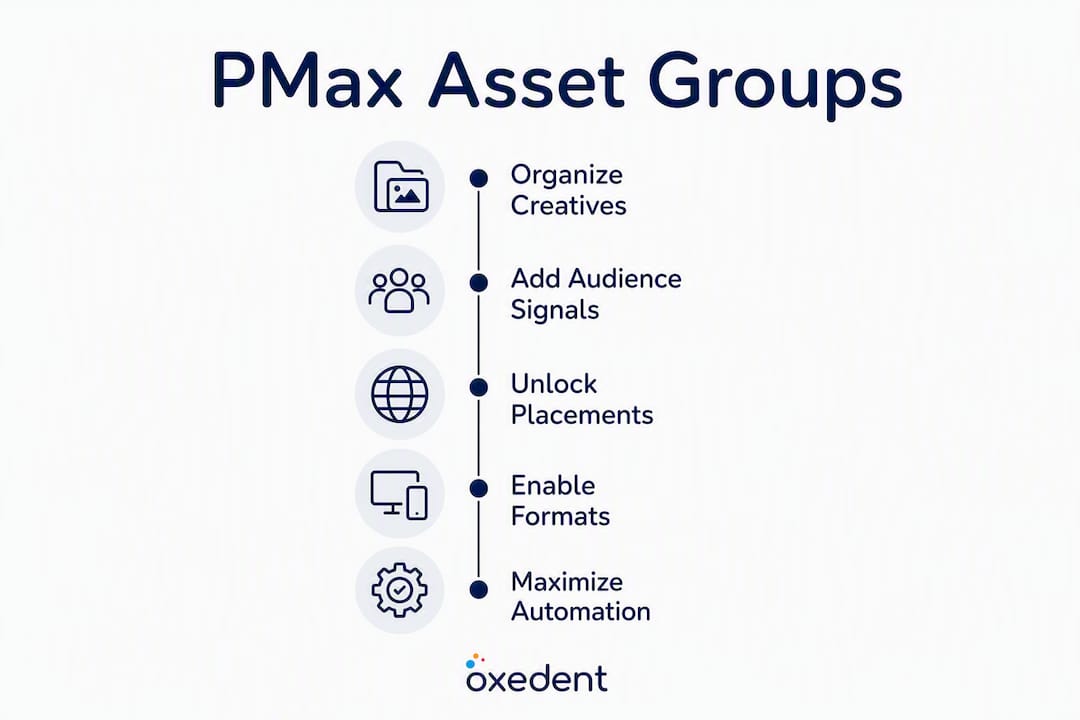
Every asset type in a PMax group unlocks specific placements and ad formats. Knowing which asset does what helps you prioritise production time.
| Asset type | Primary placements unlocked | Format it enables |
|---|---|---|
| Headlines (up to 15) | Search, Display, Discover | Responsive Search Ads, Display ads |
| Long headlines (up to 5) | Display, Discover, Gmail | Banner and native ad formats |
| Descriptions (up to 4–5) | Search, Display, Discover | Ad body copy across formats |
| Square images (1:1) | Display, Discover, Gmail | Standard Display banners |
| Landscape images (1.91:1) | Display, Discover, Gmail | Wide Display and native placements |
| Portrait images (4:5) | Display, Discover | Mobile-first placements |
| Square logo | Display, YouTube | Brand watermark and companion ads |
| Landscape logo | Display, Discover | Header and native placements |
| Videos (16:9 recommended) | YouTube, Display | In-stream, in-feed, bumper ads |
| Final URL | All channels | Landing page destination |
| Audience signals | All channels | Targeting and bidding guidance |
| Product/listing feed | Shopping, Display | Product-specific Shopping ads |
Text and image assets are combined automatically during ad assembly, so the more variety you provide, the more combinations Google can test. For retail campaigns, your product feed and creative assets work together: feed quality determines product coverage, while creative quality determines how compelling those product ads look, as explained in Amazon PPC Services: Strategies to Maximize Sales & Ad Performance.
Asset specifications and recommended counts: a practical checklist
Meeting Google’s minimums gets your campaign live. Hitting the recommended counts gives the algorithm enough variety to learn and optimise properly.
Text assets
| Asset | Minimum | Recommended |
|---|---|---|
| Headlines | 3 | 10–15 |
| Long headlines | 1 | 4–5 |
| Descriptions | 2 | 4–5 |
| Display URL path | — | 1–2 |
Image and logo assets
- Landscape image (1.91:1): minimum 600 × 314 px; recommended 1200 × 628 px; max 5,120 KB
- Square image (1:1): minimum 300 × 300 px; recommended 1200 × 1200 px
- Portrait image (4:5): minimum 480 × 600 px; recommended 960 × 1200 px
- Square logo (1:1): minimum 128 × 128 px; recommended 1200 × 1200 px
- Landscape logo (4:1): minimum 512 × 128 px; recommended 1200 × 300 px
- Upload at least one of each image format; three or more per format gives the algorithm real choice
Video assets
- Minimum resolution: 720p; recommended 1080p
- Minimum length: 10 seconds; 15–30 seconds performs well for most placements
- Format: MP4 or MOV; aspect ratio 16:9 for YouTube, 1:1 or 4:5 for vertical placements
- Upload at least one video; three videos of different lengths is the practitioner standard
Warning: Skipping video entirely removes YouTube from your available inventory. Given that YouTube reaches a very large UK audience monthly, that is a significant portion of potential reach you are simply handing back. Google will auto-generate video from your images if you omit one, but auto-generated assets rarely match the quality of purpose-built video.
Pro Tip: Practitioners commonly recommend at least 5 headlines, 5 long headlines, 5 descriptions, multiple image formats, a logo and at least one video to avoid missing YouTube inventory and to give the AI sufficient creative variety to optimise.
How Google assembles ads from your asset group
The process is combinatorial. Google takes your headlines, descriptions, images, logos and videos and mixes them into different ad variants, selecting the combination most likely to convert for each placement and each user. A single asset group can simultaneously produce a text-heavy Search-style ad, a visual Display banner and a YouTube in-stream video, all from the same pool of assets.
Audience signals guide which combinations get prioritised. If you upload a customer match list of past purchasers alongside interest-based custom segments, the algorithm uses that data to identify similar users and weight creative delivery accordingly. Conversion data is the other key input: the more conversion events the campaign records, the more precisely Google can allocate budget and placements. This is why asset groups function as training data for the AI. Specific, varied creative assets paired with strong audience signals produce better outputs than a generic collection of assets with no signals attached.
A practical example: an asset group for a UK outdoor clothing retailer might produce a Search ad reading “Waterproof Jackets for UK Trails” alongside a YouTube pre-roll showing a 20-second product clip, and a Discover card with a lifestyle image. All three come from the same asset group, assembled differently for each context.
How to structure your asset groups for better results
The single most effective structural rule is one theme per asset group. An asset group that tries to cover your entire product catalogue, every audience type and multiple offers will confuse the algorithm and dilute creative relevance. Specific, benefit-led headlines and a single coherent offer per asset group consistently drive higher conversion rates compared to catch-all groups.

When to split by category: If you sell across distinct product categories (footwear, outerwear, accessories), give each its own asset group with category-specific images, copy and a matching landing page. This keeps creative relevance high and makes performance reporting far cleaner.
When to split by audience: If your buyer personas differ significantly (trade buyers versus retail consumers, for instance), separate asset groups let you tailor messaging and audience signals without one persona’s data polluting another’s learning.
When to split by offer: Promotional periods, seasonal pushes and clearance lines all benefit from dedicated asset groups. Oxedent’s approach to seasonal PMax strategy consistently shows that time-limited offers in their own asset group outperform those buried inside an evergreen group.
Naming conventions matter more than most advertisers realise. A clear naming structure, such as [Brand] | [Category] | [Audience] | [Offer], makes it straightforward to filter performance data and identify which group needs attention. Vague names like “Asset Group 1” become a liability the moment you have five or more groups running.
How to create, preview and manage an asset group in Google Ads
-

— Use the ad preview tool within the asset group editor to see how combinations will render across Search, Display and YouTube placements.
Editing post-launch: You can add or replace assets at any time without resetting the campaign’s learning period. Splitting an underperforming asset group into two themed groups is also possible post-launch, though it will restart learning for the new groups.
Why video assets are mission-critical (and how to produce them cheaply)
Missing video is the single most common and most costly mistake in PMax setup. Without at least one video asset, your asset group cannot serve on YouTube. For UK ecommerce brands, that means losing access to one of the highest-intent video platforms available, where product discovery and purchase intent frequently overlap.
The good news: you do not need a production agency to get started. Here are the practical options:
- Quick phone-shot edits with subtitles — A simple talking-head or product walkthrough with on-screen text performs well on YouTube, particularly for mobile viewers who watch without sound.
For UK advertisers commissioning professional video, a basic product video from a freelance videographer typically costs £300–£800 per day of shooting, with editing on top. A short animated ad from a UK freelance motion designer usually falls in the £150–£400 range. Both are worth testing against in-house phone footage before committing to a larger production budget.
Pro Tip: Test a phone-shot product video against a polished animated version in the same asset group. The algorithm will tell you which performs better within two to three weeks, saving you from over-investing in production before you have data.
Common mistakes and how to diagnose them quickly
Most underperforming asset groups share the same handful of failure modes.
- Everything-in-one asset group: too many products, audiences and offers in a single group dilutes relevance. Split by theme.
- Weak headlines: generic copy like “Shop Now” or “Great Deals” gives the algorithm nothing to work with. Write benefit-led, specific headlines tied to the group’s offer.
- Missing video: as covered above, this blocks YouTube inventory entirely.
- Mismatched landing page: an asset group promoting running shoes that points to a homepage will convert poorly. Landing-page alignment is a frequently underestimated lever: the final URL should match the group’s creative theme precisely.
- Vague audience signals: uploading only a broad interest category gives the AI little to learn from. Use first-party data wherever possible.
Diagnostic checks to run:
- Open the “Best-performing assets” report and identify any assets rated “Low.” Replace them.
- Check conversion lag: PMax campaigns often need 4–6 weeks of data before performance stabilises. Do not restructure too early.
- Review conversion value per asset group in the campaign’s asset group performance report.
- Audit landing-page relevance: does the page load quickly, match the ad’s promise and have a clear call to action?
If you spot consistent underperformance across your PMax campaign, the root cause is almost always one of these five issues rather than a budget or bidding problem.
Key takeaways
A PMax asset group is the creative and signal input layer that determines how well Google’s automation can serve your ads across every channel it controls.
| Point | Details |
|---|---|
| One theme per group | Each asset group should cover a single offer, audience or product category for maximum relevance. |
| Video is non-optional | Skipping video removes YouTube inventory; a phone-shot clip is enough to start. |
| Recommended counts matter | Aim for 10+ headlines, 4–5 descriptions, multiple image formats and at least one video per group. |
| Audience signals train the AI | First-party data and custom segments give the algorithm better inputs and faster learning. |
| Oxedent for complex builds | When conversions per asset group are low or your catalogue is large, Oxedent’s Performance Max management delivers structured asset-group architecture and feed fixes. |
When to manage asset groups yourself and when to bring in an agency
The DIY route works well when your catalogue is focused, your creative assets are ready and you have enough conversion volume to let the algorithm learn. If you are running a single product line with clear imagery, a handful of well-written headlines and at least one video, you can build a solid asset group structure yourself and iterate from the “Best-performing assets” report.
The picture changes when you are managing a large catalogue, dealing with feed quality issues, or finding that individual asset groups are generating too few conversions to produce meaningful data. At that point, the inputs the algorithm needs — structured asset groups, clean feed data, conversion value signals — become genuinely complex to manage without dedicated expertise. An agency audit typically covers asset quality, feed health, asset-group architecture and conversion measurement setup: the four levers that actually move PMax performance rather than surface-level bid adjustments.
Oxedent works with established ecommerce brands that have reached this inflection point. If your PMax campaigns are running but not scaling, the issue is almost always structural rather than budgetary.
Oxedent’s Performance Max audit and managed build service


Oxedent’s Performance Max service is built for ecommerce brands that need more than a basic campaign setup. Where most agencies treat PMax as a set-and-forget channel, Oxedent treats asset groups as the primary optimisation lever: structured by theme, fed with quality creative, and aligned to conversion value rather than clicks.
A Performance Max audit from Oxedent covers your existing asset-group structure, feed health, video asset gaps, audience signal quality and conversion measurement setup. You receive a clear brief for any missing assets and a prioritised action plan. For brands that want a full managed build, Oxedent handles asset-group architecture, feed optimisation and ongoing creative iteration without locking you into a long-term contract.
If your PMax campaigns are spending but not converting at the rate your catalogue warrants, the eCommerce PPC management service is the right starting point. Get in touch with Oxedent to request an audit or discuss a managed build.
Useful sources and official specs
The sources below cover official Google specifications, API documentation and further strategic guidance on Performance Max asset groups.
Official Google documentation (technical specs and setup):
- How asset groups work — Google Ads Help: cross-channel assembly, required components and final URL rules
- Build an asset group — Google Ads Help: step-by-step setup guidance and asset field definitions
- Performance Max Asset Groups — Google Ads API: API-level documentation including campaign limits (up to 100 asset groups per campaign) and structural rules
- Performance Max campaign overview — Google Ads: high-level explanation of PMax inventory and automation
Strategic and practitioner guidance:
Oxedent resources:
- Performance Max for ecommerce that scales — Oxedent: practical guidance and case studies on scaling PMax for ecommerce brands
- Are Performance Max campaigns worth it? — Oxedent: decision framework for when PMax delivers value
- Main reason your Performance Max campaign is not performing — Oxedent: diagnostic guide for underperforming campaigns
- eCommerce PPC management — Oxedent: agency service page for managed PMax builds and audits