



For product-led ecommerce, Google Shopping consistently outperforms text search ads on the metrics that matter: conversion rate, ROAS, and click quality. The reason is structural. Shopping ads show your product image, price, and reviews before anyone clicks, which means the people who do click are already pre-qualified buyers rather than curious browsers. If you sell physical products and your Google Merchant Center feed is clean and well-optimised, Shopping should be your primary paid channel, with Search running alongside it for brand defence and complex research queries.
Table of Contents
- Why Google Shopping beats search: the core comparison
- How Google matches your products to shoppers
- Why Shopping can outperform text search for product sales
- Feed and campaign tactics that make Shopping outperform search
- How to measure Shopping success alongside Search
- What commonly goes wrong with Shopping campaigns
- A UK-ready 7-step checklist to make Shopping outperform your Search campaigns
- When should you manage Shopping in-house, and when hire specialists?
- Do Shopping and Search together outperform either alone?
- How does Google Shopping compare to search in the UK ecommerce market?
- How does Shopping integrate with smart bidding and automation?
- Seasonal trends and promotions in Shopping campaigns
- When should you use Shopping vs Search?
- Key takeaways
- The case for taking Shopping seriously, not just setting it up
- Oxedent’s Shopping and PMax management for UK retailers
- Useful sources and further reading
Why Google Shopping beats search: the core comparison
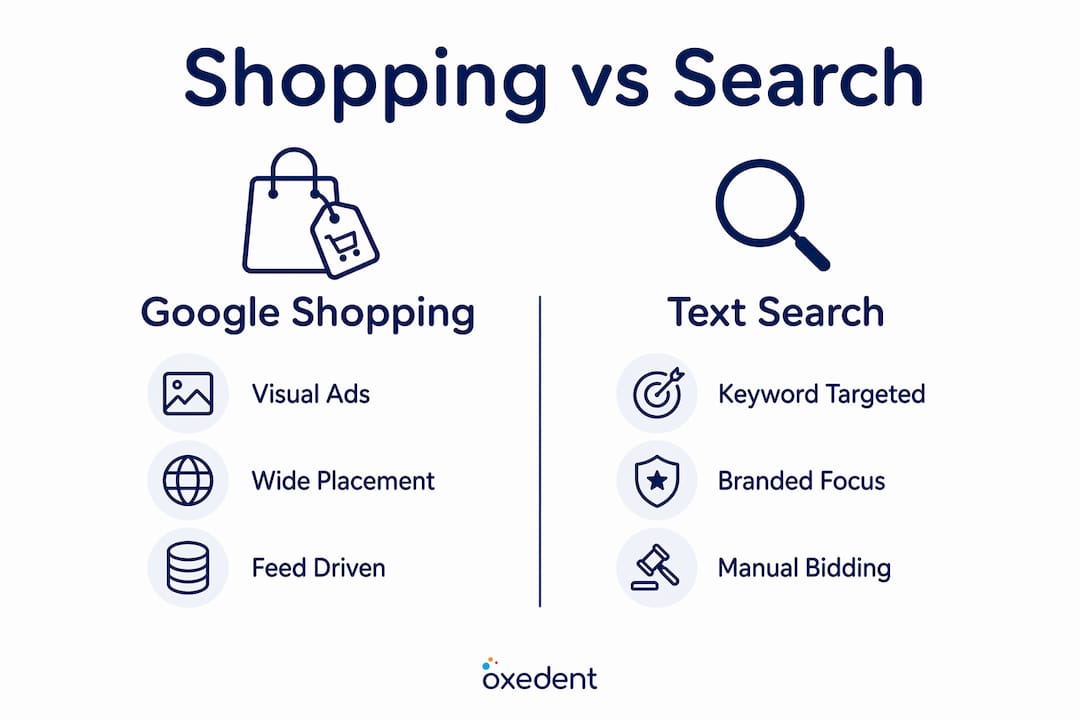
The fundamental difference is how each format targets shoppers. Search ads match your keywords to what someone types. Shopping ads match your product attributes to what someone searches, with no keyword lists required. Google reads your feed and decides which queries your products should appear for.


| Dimension | Google Search ads | Google Shopping ads |
|---|---|---|
| User intent / buyer stage | All funnel stages: awareness to conversion | Primarily transactional, bottom-of-funnel |
| Visuals and price pre-click | None; text copy only | Product image, price, rating, store name |
| Ad messaging control | Full: you write every headline and description | Limited; Google pulls from your feed |
| Targeting mechanism | Keyword match types + negative keywords | Feed attributes + negative keywords |
| Typical CTR | — | Lower average CTR, but clicks are more purchase-ready |
| Typical CPC | Higher for competitive keywords | Often lower; varies depending on category |
| ROAS potential | Strong with tight keyword and bid management | Approximately 30% higher ROAS versus search in many retail categories |
| Campaign control | Granular bid and audience control | Automated via feed; Standard Shopping retains product-level bids |
Shopping wins on discovery and prospecting queries, where a shopper types “women’s waterproof walking boots” and wants to compare options visually. Search retains its edge on branded queries (“Nike Air Max 90 size 8”) and complex research journeys where ad copy can guide intent. The practical implication: most UK retailers should allocate the majority of their paid budget to Shopping, then use Search to protect their brand name and capture high-intent text queries that Shopping misses.
- Run Shopping as your primary product channel for physical goods with clear images and competitive pricing.
- Keep a branded Search campaign to prevent competitors bidding on your brand terms.
- Use Search for non-brand keywords only where Shopping is not triggering on those queries profitably.
How Google matches your products to shoppers
Shopping ads do not use a keyword list. Instead, Google reads your feed attributes — product title, description, product type, GTIN, price, availability, and images — and decides in real time which searches your products are relevant for. The flow is: you upload a product feed to Google Merchant Center, connect Merchant Center to Google Ads, and Google then places your products across Shopping tab results, the main SERP, and increasingly across AI-driven placements including AI Mode and Gemini-powered shopping experiences.
Feed quality is the single biggest lever in Shopping performance. A high-quality Merchant Center feed now powers Shopping ads, free product listings, AI Mode results, and third-party AI shopping agents simultaneously. One well-built feed multiplies your reach across every Google surface.
The fields that carry the most relevance signal are your product title and product type. Google uses these to understand what your product is and which searches it should match. GTINs (Global Trade Item Numbers) confirm product identity and unlock better auction eligibility. Price and availability must match your website exactly, or Google will disapprove the item. Images need to be clean, on a white or neutral background for most categories, and large enough to render well on mobile.
Pro Tip: Front-load your product titles with the attributes shoppers search for: category, brand, key specification, colour, size. “Women’s Waterproof Walking Boots — Berghaus — Navy — Size 5” will match far more relevant queries than “Berghaus Boot WB5.”
Why Shopping can outperform text search for product sales
The behavioural case is straightforward. When a shopper sees your product image, price, and star rating before clicking, they self-select. Someone who clicks a £149 jacket after already seeing the price is far more likely to buy than someone who clicked a text ad with no price signal. That pre-qualification effect is what drives the conversion rate and ROAS advantage Shopping tends to produce.
Industry aggregated data shows Shopping delivers approximately 30% higher ROAS versus text search in many retail categories, with the gap widest in fashion, home, and sporting goods where visual comparison is central to the buying decision.
Placement breadth amplifies this further. Shopping results appear at the top of the main SERP, in the dedicated Shopping tab, in free product listings (which cost nothing per click), and now in AI-generated shopping summaries. A single well-optimised feed captures paid and organic Shopping real estate simultaneously. Text search ads cannot do that.
Feed enrichment pays back across every channel: the same Merchant Center feed that powers your Shopping campaigns also feeds AI Mode and third-party AI shopping agents, so the investment compounds beyond Google Ads alone.

Feed and campaign tactics that make Shopping outperform search

Feed quality is where most Shopping underperformance originates, and it is also where the fastest wins are available.
High-impact feed changes to make first:
- Product titles: include category, brand, key attribute, colour, and size in that order. Titles are the primary relevance signal.
- Product type: use your own taxonomy (e.g. “Clothing > Women’s > Jackets > Waterproof”) rather than relying solely on Google’s category. This gives Google richer context.
- GTINs: add them for every branded product. Missing GTINs reduce auction eligibility.
- Images: use high-resolution images on a clean background. Lifestyle images can supplement but should not replace the primary product shot.
- Price and availability: keep these in sync with your website in real time. Mismatches cause disapprovals.
Tools like DataFeedWatch can automate feed transformations, map your existing product data to Google’s required attributes, and flag errors before they cause disapprovals. For UK retailers, also confirm your shipping settings reflect your actual delivery costs and timelines, and that prices display inclusive of VAT where required.
Campaign structure:
Use Performance Max for scale across your full catalogue, but keep a Standard Shopping campaign for your highest-value SKUs. Standard Shopping gives you product-level bids, search-term visibility, and the ability to exclude specific products from automation. Performance Max is powerful but opaque; without a Standard Shopping control campaign, you lose the diagnostic data you need to optimise.
Bidding and promotions:
- Start Standard Shopping on manual CPC to gather data, then migrate to Target ROAS once you have at least 30 conversions in a 30-day window.
- Use Google’s Promotions feature in Merchant Center to surface sale prices and discount codes directly on the Shopping ad. This lifts click-through rate noticeably during peak periods.
- Geo-targeting: for UK retailers, segment bids by region if your conversion rates differ materially between, say, London and the North West. Google Ads allows bid adjustments by location at campaign level.
Pro Tip: Use campaign priority settings (High / Medium / Low) across multiple Standard Shopping campaigns to control which campaign captures which queries. A high-priority campaign with a low bid acts as a catch-all; a low-priority campaign with a higher bid captures your best-converting terms.
How to measure Shopping success alongside Search
Tracking the right metrics prevents budget decisions based on misleading signals.
Metrics to prioritise:
- ROAS (revenue ÷ ad spend): your primary Shopping health metric. Set a target ROAS based on your margin, not a benchmark.
- Conversion rate (CVR): Shopping typically converts higher than Search for product queries; if yours is low, the feed or the landing page is the problem.
- Impression share (Shopping): low impression share usually means a feed quality or bid issue, not a budget issue.
- Assisted conversions: Shopping often initiates the journey that Search or direct closes. Last-click attribution understates Shopping’s contribution significantly.
Shoppers who see both Shopping and Search ads from the same retailer are 90% more likely to visit the website than those who see only one format. Running both formats is not redundancy; it is a deliberate reach strategy.
Running experiments:
The cleanest test is a campaign-level holdout: pause Shopping for a defined period on a product subset and measure the revenue impact versus a control group. For feed changes, use DataFeedWatch’s A/B feed variants or Google’s feed rules to test title structures before rolling them out across the full catalogue.
Attribution:
Switch from last-click to data-driven attribution in Google Ads. This redistributes credit across the full path and typically reveals that Shopping contributes more to revenue than last-click reports suggest. For UK retailers running both formats, segment your conversion reports by campaign type to see Shopping and Search contribution side by side.
Pro Tip: Check your Search Impression Share for Shopping campaigns weekly. If it drops below 60%, investigate feed disapprovals and bid levels before increasing budget.
What commonly goes wrong with Shopping campaigns
Most Shopping underperformance traces back to three sources.
The most common Shopping failure is not a bidding problem. It is a feed problem. Missing GTINs, price mismatches, incorrect shipping settings, and vague product titles are the leading causes of disapprovals and low impression share. Fix the feed before touching bids.
Merchant Center disapprovals: Common errors include missing GTINs for branded products, prices that do not match the website (including VAT), incorrect product categories, and shipping settings that do not reflect your actual delivery options. UK retailers must also confirm their shipping settings use GBP and reflect Royal Mail or courier rates accurately.
Over-reliance on Performance Max: PMax is excellent for reach, but running it without a Standard Shopping campaign alongside it means you cannot see which products are winning, which queries are converting, or where spend is being wasted. You need Standard Shopping as your diagnostic layer.
Thin product titles and missing product type: Up to 80% of catalogue items can be effectively invisible to Google Shopping if feed fields lack contextualisation. A product titled “Blue Jacket XL” will match almost nothing useful. Enriching titles and mapping product types properly is the highest-leverage feed fix available.
A UK-ready 7-step checklist to make Shopping outperform your Search campaigns
- Audit your Merchant Center account (1–2 hours): check for disapprovals, policy violations, and shipping mismatches. Resolve all errors before running any campaigns.
- Enrich your product titles (medium effort, ongoing): restructure titles to lead with category, brand, key attribute, colour, and size. Use DataFeedWatch or a feed management tool to apply rules at scale.
- Add GTINs to all branded products (medium effort): source from your supplier data or GS1 UK. Missing GTINs reduce auction eligibility.
- Map product types using your own taxonomy (quick, one-off): create a detailed hierarchy (e.g. “Footwear > Women’s > Trainers > Running”) rather than relying on Google’s category alone.
- Set up a Standard Shopping campaign for priority SKUs (medium effort): use manual CPC initially, set campaign priority to Low, and add negative keywords to filter irrelevant traffic.
- Launch or audit your Performance Max campaign (heavy, ongoing): ensure asset groups are product-specific, audience signals are populated, and you are reviewing the Insights tab weekly.
- Configure conversion tracking and attribution (quick, one-off): switch to data-driven attribution in Google Ads and confirm your conversion actions are tracking revenue values, not just events.
UK-specific notes: prices in your feed must be in GBP and inclusive of VAT for consumer-facing products. Shipping settings must reflect your actual UK delivery options. Free delivery is a competitive advantage worth surfacing in your Merchant Center promotions.
When should you manage Shopping in-house, and when hire specialists?
Oxedent’s view, based on working with established UK ecommerce brands, is that the in-house versus agency decision turns on three variables: monthly ad spend, catalogue size, and the depth of feed management capability your team has.
At ad spends below £2,000 per month, the margin for agency fees is thin and in-house management with a clean feed and a Standard Shopping campaign is usually sufficient. Above £5,000 per month, the complexity of campaign structure, feed optimisation, and bid strategy typically justifies specialist involvement.
For catalogues above 500 SKUs, feed management alone becomes a significant operational task. Attribute mapping, title enrichment, GTIN sourcing, and disapproval resolution across hundreds of products requires either a dedicated internal resource or a specialist partner. At this scale, errors compound quickly and the revenue impact of a Merchant Center suspension is material.
When Oxedent audits a Shopping account, the first checks are: Merchant Center health (disapproval rate and policy flags), feed attribute completeness (titles, GTINs, product types), campaign structure (PMax vs Standard Shopping split), and attribution setup. These four areas account for the majority of recoverable performance in underperforming accounts.
Pro Tip: Before engaging any agency, ask to see a sample feed audit and a campaign structure recommendation specific to your catalogue. Generic proposals that do not reference your feed quality or product type mapping are a signal the agency is not Shopping-specialist.
For hybrid engagements, Oxedent typically handles initial feed restructuring and campaign setup, then transitions to ongoing managed optimisation with monthly reporting against agreed ROAS targets. There are no long-term contracts; performance is the retention mechanism.
Do Shopping and Search together outperform either alone?
Yes, and the evidence is clear. Shoppers exposed to both formats from the same retailer are 90% more likely to visit the website than those who see only one. The formats serve different moments in the buying journey: Shopping captures the visual comparison stage, Search captures the branded and research stages. Running them in isolation means leaving revenue on the table at one end or the other.
The practical implication for UK retailers is a coordinated budget split: Shopping as the primary product discovery channel, branded Search as a defensive layer, and non-branded Search for queries where Shopping is not triggering profitably. This structure also gives you cleaner attribution data, because you can segment performance by campaign type and see exactly where each format contributes.
Experts consistently recommend running branded Search alongside Shopping to protect branded queries and convert research-stage traffic that Shopping alone would miss.
How does Google Shopping compare to search in the UK ecommerce market?
Google Shopping has become the dominant product discovery channel for UK online retail. The visual format aligns with how UK shoppers browse: they compare products by image and price before committing to a click, which is precisely what Shopping facilitates. Text search ads remain important for brand defence and high-intent branded queries, but for prospecting and category-level discovery, Shopping holds the stronger position.
Shopping wins prospecting queries due to visual, price, and review visibility; Search retains strength on branded queries. For UK retailers in competitive categories such as fashion, home goods, and sporting equipment, Shopping’s visual format is particularly effective because price comparison is central to the buying decision and shoppers expect to see product images before clicking.
The competitive implication is that feed quality is now a competitive moat. Retailers with well-optimised feeds, accurate GTINs, and enriched product titles appear more frequently and in more relevant positions than competitors with thin or error-prone feeds, regardless of bid levels.
How does Shopping integrate with smart bidding and automation?
Shopping campaigns are built for automation in a way that Search campaigns are not. Standard Shopping supports manual CPC and Target ROAS bidding. Performance Max extends this further, using Google’s machine learning to optimise bids, placements, and creative across the full Google inventory, including Search, Shopping, Display, YouTube, and Gmail, from a single campaign.
The key difference from Search automation is the input. Smart bidding in Search optimises around keyword signals and audience data. In Shopping, the primary input is your product feed. Better feed data produces better automated decisions, which is why feed investment has a compounding return in Shopping that it does not have in Search.
For UK retailers, the practical recommendation is to use Target ROAS bidding in Standard Shopping once you have sufficient conversion data, and to treat Performance Max as a reach amplifier rather than a replacement for granular campaign control. Keep Standard Shopping running for your top SKUs so you retain product-level visibility and search-term diagnostics.
Seasonal trends and promotions in Shopping campaigns
Shopping campaigns respond to seasonal demand more visibly than Search, because the visual format makes promotional pricing immediately apparent to shoppers. For UK retailers, the key seasonal peaks are Black Friday and Cyber Monday (late November), Christmas (October through December), January sales, and category-specific peaks such as back-to-school in August and September.
The most effective seasonal tactic in Shopping is the Merchant Center Promotions feed. This surfaces a “Special Offer” badge directly on your Shopping ad, showing the discount or promotional code without the shopper needing to click through. For UK retailers, this is particularly effective during Black Friday when shoppers are actively comparing prices across multiple tabs.
Bid adjustments by time of day and day of week also matter more in Shopping than in Search, because Shopping impressions are heavily influenced by browsing behaviour. UK shoppers tend to browse and compare products in the evening; adjusting bids upward during peak browsing hours and downward during low-conversion periods can improve ROAS without increasing total spend. For Google Shopping strategies that scale profitably through seasonal peaks, the combination of promotions, bid scheduling, and geo-targeting is more effective than any single lever alone.
When should you use Shopping vs Search?
The decision is not either/or; it is sequencing and allocation.
Use Shopping as your primary channel when:
- You sell physical products with clear images and competitive pricing.
- Your goal is product discovery and prospecting at scale.
- You want to reach shoppers who are comparing options visually before deciding.
Lean on Search when:
- You need to defend your brand name against competitor bidding.
- You sell complex or configurable products where ad copy can guide intent.
- You want to capture top-of-funnel educational queries and send traffic to content.
- Shopping is not triggering profitably on specific high-value queries.
For most UK ecommerce brands, the right allocation is Shopping-first with a supporting Search layer. The comparison of Search and Shopping across buyer stages makes clear that Shopping captures the moment of product comparison, while Search captures the moments before and after. Together, they cover the full purchase journey.
One scenario where Search takes priority: a brand with strong search volume for its own name and a competitor actively bidding on it. In that case, a branded Search campaign is not optional; it is a revenue protection measure.
Key takeaways
Google Shopping outperforms text search ads for product-led ecommerce because visual pre-qualification, feed-driven relevance, and placement breadth combine to deliver higher conversion rates and approximately 30% higher ROAS in many retail categories.
| Point | Details |
|---|---|
| Feed quality is the primary lever | Enriched titles, GTINs, and product types drive impressions; fix the feed before adjusting bids. |
| Shopping and Search work best together | Shoppers exposed to both formats are 90% more likely to visit the website than those who see only one. |
| PMax needs a Standard Shopping control | Keep Standard Shopping for priority SKUs to retain product-level bids and search-term diagnostics. |
| Seasonal promotions amplify Shopping | Use Merchant Center Promotions to surface discount badges during peak UK retail periods. |
| Oxedent for specialist management | Oxedent audits feed health, campaign structure, and attribution to recover performance in underperforming Shopping accounts. |
The case for taking Shopping seriously, not just setting it up
There is a pattern worth naming. Many UK retailers set up Google Shopping, see some results, and then leave the feed largely untouched while they pour optimisation effort into their Search campaigns. The logic feels sound: Search gives you keyword control, so it feels more manageable. Shopping feels like a black box.
That instinct is backwards. The feed is not a black box; it is a structured input that Google reads with considerable precision. When your product titles are vague, your GTINs are missing, and your product types are unmapped, Google cannot match your products to the queries that would convert. You are not losing to the algorithm; you are giving it insufficient information to work with.
The retailers who get the most from Shopping treat feed management as a continuous discipline, not a one-time setup task. They enrich titles, test product type hierarchies, monitor disapproval rates weekly, and use Standard Shopping campaigns to diagnose which products are winning and which are invisible. That operational rigour is what separates accounts generating 5x ROAS from those stuck at 2x.
The other underappreciated point: Shopping’s reach is expanding, not contracting. The same Merchant Center feed that powers your Shopping ads now surfaces your products in Google’s AI Mode results and Gemini-powered shopping recommendations. Retailers who invested in feed quality two years ago are now appearing in AI shopping summaries without any additional setup. That is a compounding return on a single operational investment.
Oxedent’s Shopping and PMax management for UK retailers
Oxedent works exclusively with established ecommerce brands that are ready to scale paid media profitably. If your Shopping campaigns are underperforming, the most likely causes are feed gaps, a weak campaign structure, or attribution that is understating Shopping’s contribution to revenue.


Oxedent’s ecommerce PPC management service covers feed optimisation, Standard Shopping and Performance Max campaign setup, bid strategy, and monthly reporting against your ROAS targets. There are no long-term contracts. The engagement starts with a paid account audit that identifies the specific feed and campaign issues holding your performance back, so you know exactly what will be fixed and why before any ongoing management begins.
If your monthly ad spend is above £2,000 and your Shopping ROAS is not where it should be, an audit is the fastest way to find out why. Book a discovery call with Oxedent to get started.
Useful sources and further reading
- About Shopping campaigns — Google Ads Help: official documentation on feed attributes, Merchant Center setup, and campaign mechanics.
- Google Shopping vs Google Search Ads — DataFeedWatch: industry comparison including the combined-format visit-likelihood data.
- Standard Shopping vs Performance Max — SKU Analyzer: practical guide to choosing and structuring campaign types.
- Why Google Shopping kept winning — Athos Commerce: feed enrichment and AI placement reach analysis.
- Merchant Center disapprovals: common causes and fixes — RexTheme: troubleshooting guide for UK retailers.
- Google Shopping feed optimisation tips — Oxedent: practical feed improvements for UK ecommerce stores.
- Google Shopping feed setup guide — Oxedent: step-by-step Merchant Center and feed configuration for UK retailers.
- How to maximise payment conversion rates — Sensepass: checkout optimisation guidance to convert Shopping traffic once it lands.