


Google has no dedicated B2B Shopping product, but Shopping ads work well for B2B once you adapt three things: your Merchant Center feed, your checkout flow, and your measurement setup. The priorities are simple. Submit the highest gross price (with VAT where required), make sure your feed, landing page and checkout all show the same figure, and import offline conversions into Google Ads so bidding optimises towards real pipeline, not cheap clicks.
TL;DR:
- Using Shopping ads for B2B requires matching feed prices, checkout details, and shipping costs precisely to avoid disapproval or trust issues.
- Building structured campaigns that target different funnel stages and controlling queries with exact matching enhances B2B ad performance.
- Accurate feed data, especially GTIN, MPN, and bulk pricing, is essential for visibility in technical and specification-driven B2B searches.
- Offline conversion tracking and CRM data integration are critical for effective Smart Bidding, which depends on understanding the full sales pipeline.
- Continuous feed maintenance, negative keyword management, and extended remarketing windows are key habits for profitable B2B shopping campaigns.
Table of Contents
- Merchant Center essentials for B2B Shopping listings
- Feed and catalogue engineering that gets B2B queries matched
- How should Shopping fit into a B2B campaign structure?
- Why CRM integration decides whether Smart Bidding works for you
- The optimisation habits that separate profitable B2B accounts from the rest
- How do payment terms and invoicing work through Google Shopping?
- What legal and compliance issues affect B2B transactions on Shopping?
- Oxedent’s practitioner take on running B2B Shopping properly
- Get your B2B Shopping account audited properly
- Primary sources and further reading
- Sources
- FAQ
Merchant Center essentials for B2B Shopping listings
Most B2B disapprovals and wasted spend trace back to one thing: price mismatch. Google’s own Merchant Center guidance for B2B advertisers is unambiguous. Submit the highest price a buyer could plausibly pay, include VAT where your market requires it, and make sure that figure matches what appears on your landing page and at checkout. If a business customer sees £450 in the feed and £550 once trade discounts drop away at checkout, you’re inviting a suspension, not just a bounce.
Shipping needs the same discipline. Freight for pallet quantities or oversized industrial goods rarely fits neatly into a flat shipping rule, so build in handling and insurance costs, and overestimate rather than underestimate when the real figure is uncertain. An underestimated shipping cost that surprises the buyer at checkout does more damage to trust than a slightly conservative one ever will.
Checkout design is where most B2B merchants get stuck between two audiences. You have two workable routes:
- Optional business fields: keep one checkout flow but add optional VAT number, purchase order and company name fields, so consumer buyers aren’t slowed down.
- Dual checkout flows: separate business accounts (with negotiated pricing, invoicing, minimum order quantities) from a standard consumer path entirely.
Whichever you choose, make minimum order quantities visible before checkout starts. Nothing kills conversion rate faster than a buyer discovering a 50-unit minimum after they’ve already added one item to the basket. Oxedent’s Google Shopping setup guide walks through the feed and landing-page alignment checks worth running before you launch.
Feed and catalogue engineering that gets B2B queries matched
B2B search behaviour skews heavily towards part numbers, model codes and technical specifications rather than generic product names. Your feed has to be built to match that.
- Fix minimum order quantities and bulk pricing first. Use the
unit_pricing_measureattribute to show price per unit alongside the case or pallet price, and group bulk SKUs so Google understands the relationship between the single unit and the bulk pack rather than treating them as unrelated products. - Get GTIN, MPN and brand data accurate. Feed hygiene here isn’t administrative housekeeping, it’s revenue infrastructure. Directive’s B2B Shopping agency guide makes the point plainly: incorrect or missing identifiers determine whether an item is even eligible to show, let alone whether it matches the right query. Parent-child variant structures matter just as much when one product spans multiple sizes, grades or configurations.
- Mark distributor-only or RFQ items with custom labels. Custom labels let you flag stock that shouldn’t be bid on aggressively, or that needs a quote-request landing page instead of a standard add-to-basket flow, without touching your core product taxonomy.
Get this wrong and Shopping simply won’t surface your catalogue against the exact-match, spec-driven searches that make up a large share of B2B demand. Great Gardens Online is a useful example of how a wholesale-facing retailer structures product pages and shipping information clearly enough for both trade and consumer buyers to navigate the same catalogue.
How should Shopping fit into a B2B campaign structure?
Shopping and Performance Max earn their place in a B2B account, but only when they sit inside a structure that protects intent, not one that blends every query into a single bidding pool.
Build three tiers. High-intent commercial terms, the ones closest to a purchase decision, get their own campaigns with tighter budgets and closer monitoring. Mid-funnel terms, where buyers are still comparing specs or suppliers, need nurture-focused messaging rather than an aggressive sales push. Long-window remarketing, aimed at the buyers who researched three months ago and haven’t converted yet, is its own layer entirely.
Google’s own resources on the B2B marketing funnel confirm that Shopping ads perform well for product-led B2B use cases, provided the ad format is matched to the funnel stage rather than run as a single blanket campaign. Search still tends to own the highest-intent, most specific queries; Shopping and PMax do better work capturing broader discovery and comparison behaviour.
On bidding, resist the urge to jump straight to broad match with Smart Bidding:
- Start with phrase and exact match so you control which queries actually spend budget.
- Feed offline conversions into Google Ads before you widen match types, otherwise Smart Bidding has nothing meaningful to optimise against.
- Only move to broad match with Smart Bidding once you have enough imported conversion data for the algorithm to learn from real buyer value, not just click volume.
Oxedent’s Shopping strategy guide covers this tiering in more depth if you’re rebuilding an account that’s currently lumping everything into one campaign.
Why CRM integration decides whether Smart Bidding works for you
Smart Bidding is only as good as the data it learns from, and in B2B, a raw click or a form fill tells Google almost nothing about whether that lead ever became revenue.
- Capture the GCLID. Every click through a Google Ads campaign carries a Google Click Identifier. Store it against the lead record the moment it enters your CRM.
- Map CRM stages to conversion events. MQL, SQL, opportunity and closed-won each need their own tracked event, with values that reflect their actual likelihood of closing, not an arbitrary flat number.
- Import those events back into Google Ads on a regular cadence, ideally daily or weekly rather than in occasional bulk uploads that leave the algorithm working on stale signals.
Without this loop, Smart Bidding will chase cheap form fills rather than qualified pipeline, because cheap form fills are the only outcome it can see.
Pro Tip: Don’t evaluate a B2B Shopping campaign on a 30-day view. B2B sales cycles routinely run 60 to 180 days from first click to closed-won, so judging performance any earlier means optimising against incomplete data.
The optimisation habits that separate profitable B2B accounts from the rest
Most of the difference between a B2B Shopping account that wastes budget and one that doesn’t comes down to unglamorous, repeated maintenance rather than any single clever tactic.
- Run a weekly search-terms review and build an aggressive negative-keyword list. B2B accounts attract irrelevant consumer-intent traffic more often than most marketers expect, and it compounds fast if left unchecked.
- Extend remarketing windows to 90 to 180 days rather than the 30-day default most B2C accounts use. Only a small share of B2B buyers convert on their first visit, so a short window discards the audience you most need to keep talking to.
- Layer remarketing audiences by both site behaviour and CRM stage, so a buyer who’s already an SQL sees different messaging from a first-time visitor.
- Rewrite product titles to lead with part numbers, model codes and technical specs. Spec-driven queries respond strongly to exact-title matching, far more than generic, benefit-led titles do.
- Use custom labels to control bidding tiers separately from your product taxonomy, so a high-margin distributor SKU doesn’t get bid on the same way as a low-margin retail line.
When you test a Smart Bidding change, run it as a genuine A/B split rather than a straight before-and-after comparison, and judge it on lead quality reaching opportunity stage, not just volume of leads generated. Expect a 60 to 90 day learning window before the data is reliable enough to act on. Oxedent’s notes on scaling Shopping and PMax profitably go into more detail on how to structure these tests without disrupting live spend.
How do payment terms and invoicing work through Google Shopping?
Google Shopping itself doesn’t process invoicing, credit terms, or purchase orders. That happens on your own checkout and back office, which means the burden sits entirely on how you design the buying experience after the click lands.
The practical answer is to keep the ad and feed pricing consistent with what a buyer would pay at the point of sale, then handle payment terms separately through your account system. If you offer net-30 or net-60 terms to approved trade accounts, that arrangement should sit behind a login or an approved-account flag, not inside the public price shown in your feed. Google’s price-matching requirement applies to what’s visible to the buyer at checkout, so an account-specific discount applied after login is generally fine as long as the publicly visible price is the correct gross figure.


For merchants offering both card payment and invoice-on-account options, present both clearly at the checkout stage rather than assuming every visitor arriving from a Shopping ad wants to pay immediately by card. Some buyers, particularly established trade accounts, will expect a purchase-order or invoice pathway; consumer buyers arriving from the same feed listing generally won’t. Building both paths into one checkout, gated by account type, tends to work better than running two entirely separate stores, because it keeps your feed, inventory and tracking unified rather than split across systems.
What legal and compliance issues affect B2B transactions on Shopping?
B2B transactions carry compliance obligations that consumer sales often don’t, and Shopping’s public-facing feed makes some of these harder to fudge than they might be on a quieter B2C storefront.
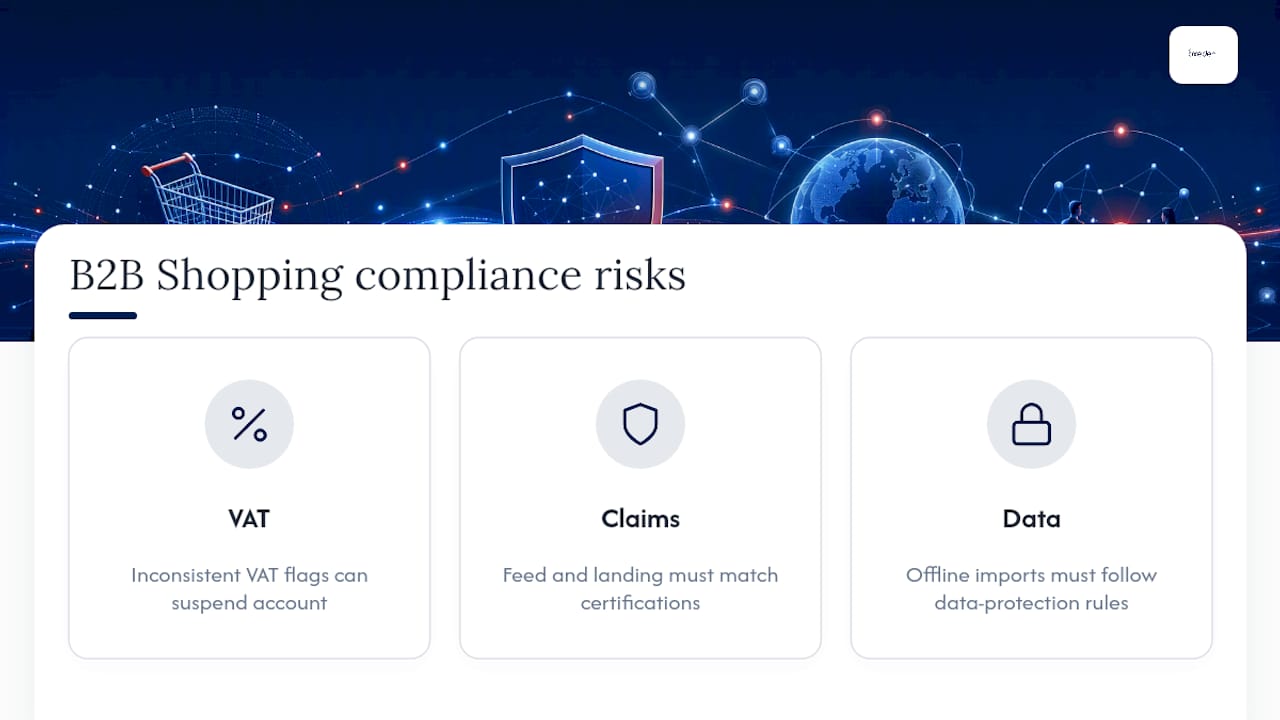
VAT treatment is the most immediate issue. If your feed price needs to include VAT for your market, it needs to include it consistently across every SKU, not selectively. Mixing VAT-inclusive and VAT-exclusive pricing across a catalogue is one of the more common causes of Merchant Center suspensions in B2B accounts, because Google’s automated checks flag the inconsistency even when the underlying pricing logic made sense internally.
Advertising regulations around claims also apply regardless of buyer type. Technical specification claims, certifications, and compliance markings (safety standards, industry certifications relevant to your sector) need to be accurate in both the feed and the landing page, because misleading claims expose you to the same advertising standards scrutiny a consumer-facing ad would face. If your products carry sector-specific certifications, whether that’s industrial safety standards, food-grade approvals, or trade-specific licensing, state them accurately rather than implying broader compliance than you actually hold.
Data handling matters more in B2B too, given how much CRM and contact data flows between your ad account and sales system. Make sure any offline conversion import process handles personal data in line with data protection obligations relevant to your market, particularly where sales teams are uploading lead lists that include contact details tied back to click identifiers.

Oxedent’s practitioner take on running B2B Shopping properly
Most B2B Shopping accounts we audit have the same root problem: the feed was built like a consumer catalogue, and the bidding was left to optimise against whatever data happened to flow in, which usually means cheap form fills rather than real pipeline.
Oxedent treats feed ownership and CRM integration as the two things worth fixing before touching a single bid. An initial audit checks catalogue health line by line, GTIN and MPN accuracy, whether offline conversion import is even technically possible with your current CRM setup, and whether your existing campaign structure is protecting or blending intent tiers.
The outcomes we aim for aren’t clicks or impressions. They’re gross-margin-aware bidding, measurably reduced wasted spend on irrelevant queries, and reporting that ties back to pipeline stages your sales team actually recognises.
— Biplab
Get your B2B Shopping account audited properly
If you’ve read this far, you already know the mechanics: feed alignment, checkout logic, offline conversion imports, remarketing windows. What most established B2B merchants lack isn’t the knowledge, it’s the time and specialist attention to implement all of it correctly and keep it maintained as catalogues, pricing and CRM stages shift month to month.


Oxedent runs eCommerce PPC management built entirely around Shopping, Performance Max and Google Ads for online retail and wholesale brands, with feed optimisation and CRM-driven measurement as standard parts of the engagement rather than an add-on. A starter audit covers exactly the checklist above: catalogue health, GTIN and MPN accuracy, current offline conversion capability, and a review of how existing campaign structures are (or aren’t) protecting commercial intent. There are no long-term contract requirements, and typical engagements are sized to ecommerce and wholesale brands running meaningful monthly ad budgets. If your Shopping account is spending without a clear line back to closed-won revenue, consider arranging a discovery call to explore an appropriate audit.
Primary sources and further reading
- Best practices for business-to-business (B2B) advertising — Google Merchant Center Help
- Explore the B2B marketing funnel with Google Ads — Google Business
- Google Ads is finally building a stronger foundation for B2B lead gen — Search Engine Land
- Google Shopping Agency Guide For B2B — Directive
Sources
- Best practices for business-to-business (B2B) advertising – Google Merchant Center Help
- Explore the B2B marketing funnel with Google Ads
- Google Ads for B2B Lead Generation: The Complete Strategy Guide (2026) – klucco
- Google Shopping Agency Guide For B2B – Directive
FAQ
Is Google Shopping B2B or B2C?
Google Shopping isn’t built exclusively for either. There’s no separate B2B product, but the platform works for both buyer types once your feed, pricing and checkout are adapted to show accurate gross prices and handle business-specific requirements like minimum order quantities.
Does Google have a dedicated Shopping site for businesses?
No. Shopping ads appear within standard Google search results and the Shopping tab, and Google Merchant Center provides B2B-specific guidance rather than a separate storefront or platform for business buyers.
How much does Google Shopping cost?
Google Shopping runs on a pay-per-click model with no fixed cost, so spend depends entirely on your bids and competition for your product category. B2B accounts often see higher cost-per-click than consumer categories, given smaller audiences and longer sales cycles.
What is Google Shopping and how does it work for B2B sellers?
Google Shopping pulls product data from your Merchant Center feed and displays it as visual ads with price and image directly in search results. For B2B sellers, that means the feed price, landing page price and checkout price all need to match, including VAT where your market requires it.
How long should I wait before judging a B2B Shopping campaign’s performance?
Give it at least 60 to 180 days before drawing conclusions, since B2B sales cycles typically run longer than consumer purchases and early conversion data rarely reflects the full pipeline value of a click.