


If your Google Ads spend keeps climbing without a proportional lift in return, the culprit is often not your bids or your budgets. It is your feed. To properly structure your Google Ads product feed is to control how Google reads, matches, and serves your products. Get it wrong and you are paying for impressions that will never convert. Get it right and every attribute you populate becomes a direct lever on your return on ad spend (ROAS). This guide walks you through every stage, from required fields to strategic segmentation, so your feed works harder for your business.
Table of Contents
- Understanding the essentials of your Google Ads product feed
- Preparing your feed data: required attributes and best practices
- Structuring feeds for scalable campaign segmentation and ROAS optimisation
- Executing feed submission and maintaining data quality
- Verifying feed performance and troubleshooting common issues
- Rethinking feed structure: beyond the basics for eCommerce growth
- Optimise your Google Ads product feed with expert support
- Frequently asked questions
Key Takeaways
| Point | Details |
|---|---|
| Feed structure equals campaign strategy | Your Google Ads product feed determines how products are shown and segmented, directly affecting ad relevance and ROAS. |
| Include all required attributes | Ensure id, title, price, availability, brand, and identifiers are correctly formatted and populated to avoid disapprovals. |
| Use custom labels for segmentation | Custom_label_0 to custom_label_4 enable effective product grouping and bid optimisation, improving spend efficiency. |
| Maintain feed freshness and accuracy | Schedule daily updates and monitor Merchant Center Diagnostics regularly to prevent errors and disapprovals. |
| Feed structuring is an ongoing process | Continuous feed optimisation and expert management help scale eCommerce ad performance sustainably. |
Understanding the essentials of your Google Ads product feed
Your product feed is the foundation of every Google Shopping campaign you run. Think of it as the data engine beneath your google ads product listing: Google reads this structured dataset and decides which searches trigger your products, which formats they appear in, and whether they qualify for Shopping ads at all.


As feed setup guides confirm, Google uses your feed attributes to determine relevance and eligibility across Shopping ads and free listings. Without a well-formed feed, your products simply will not appear where they should. With a clean, complete feed, you gain far more control over where your spend goes and what it earns.
Key feed attributes you need to get right from the start:
- id: A unique identifier for each product, stable across updates
- title: The primary match signal Google uses for search queries
- description: Supports relevance for longer or broader searches
- link: The exact landing page URL for that specific product
- image_link: A clean, high-resolution product image (no watermarks or promotional overlays)
- price: Must match the price displayed on your landing page exactly
- availability: in stock, out of stock, or preorder
- brand, condition, GTIN/MPN: Product identifiers that improve matching accuracy
As product feed guidance makes clear, Google enforces these as required attributes: id, title, description, link, image_link, price, availability, brand, condition, and product identifiers such as GTIN and/or MPN.
Feed formats available in Google Merchant Center:
| Format | Best for | Update frequency |
|---|---|---|
| Google Sheets | Small to mid-size catalogues | Manual or scheduled |
| Scheduled fetch (XML/CSV) | Mid to large catalogues | Daily or more frequent |
| Content API | Enterprise or dynamic catalogues | Real-time |
Understanding which format suits your catalogue size is a prerequisite before you start building. For most established eCommerce businesses, a scheduled XML fetch or Content API integration gives you the control and freshness you need.
Preparing your feed data: required attributes and best practices
With an overview of the feed essentials, the next step is ensuring every required attribute is populated accurately and in the correct format. This is where most brands lose ground before a single campaign even launches.
Required feed attributes include id, title, description, link, image_link, price, availability, brand, condition, and product identifiers. Each one must be formatted correctly and kept current. A misformatted price, an expired availability status, or a broken product URL will trigger a disapproval.
Best practices for feed data preparation:
- Write product titles in the format most relevant to how customers search. For apparel: Brand + Gender + Product Type + Key Attributes. For electronics: Brand + Product Name + Model + Key Spec.
- Ensure your price field matches exactly what appears on the product landing page, including currency formatting for your market (GBP for UK, USD for US).
- Populate "google_product_category` using Google’s taxonomy to improve relevance scoring.
- Add
product_typeusing your own category structure. This gives you an additional segmentation layer in Google Ads. - Include all GTINs where available. Products without GTINs receive lower priority in Shopping auctions in most categories.
Missing required attributes such as title, price, availability, link, or image_link result in disapprovals that prevent products from appearing in Shopping ads entirely. You can find the exact reasons and affected products in Merchant Center under Products then Diagnostics.
Pro Tip: Do not guess at what is causing disapprovals. Merchant Center Diagnostics tells you exactly which products are affected and why. Fix those before making any bid changes in Google Ads because a disapproved product cannot spend, no matter how high your bid is.
Keeping your feed free of errors is an ongoing task, not a one-time fix. As your catalogue grows or seasonality shifts your pricing, regular data checks become essential. Professional feed management removes this operational burden and ensures compliance at scale.
Structuring feeds for scalable campaign segmentation and ROAS optimisation
After preparing your data, you need to structure your feed strategically so it supports segmentation and bid control. This is where the real performance gains are made, and where most eCommerce businesses leave money on the table.
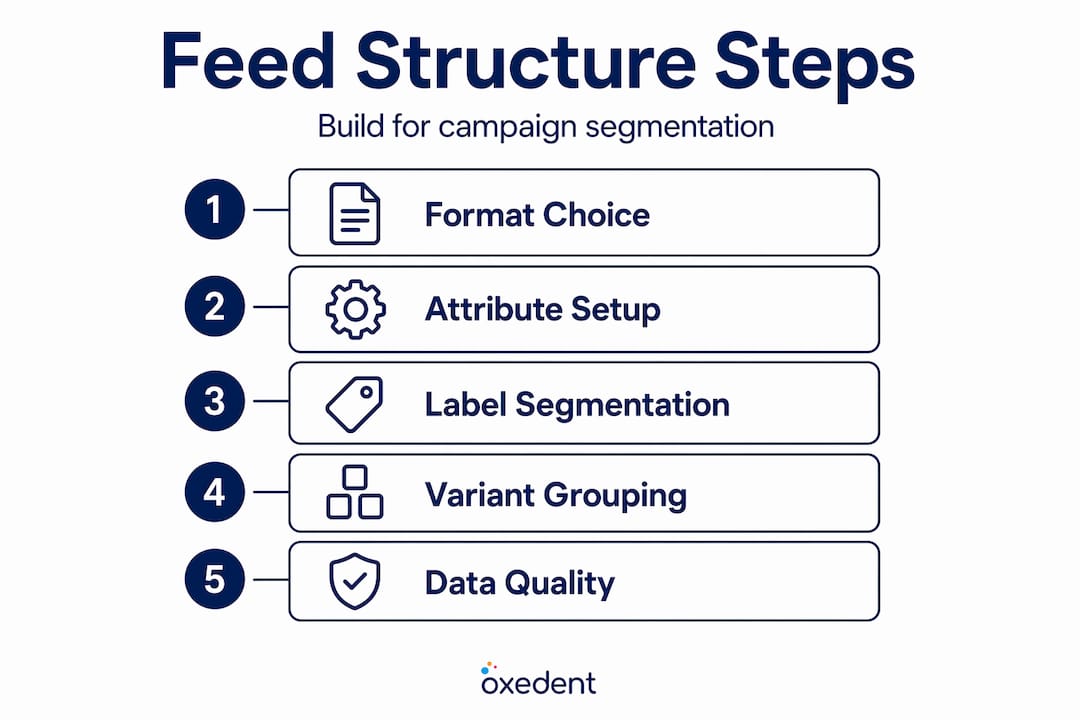

Custom labels are your most powerful segmentation tool. Google supports five custom label fields (custom_label_0 through custom_label_4), each accepting up to 100 characters of text. These labels carry no meaning to Google algorithmically, but they let you create product groups in Google Ads that reflect your actual business priorities.
Here is how experienced eCommerce teams use them:
| Label field | Segmentation use | Example value |
|---|---|---|
| custom_label_0 | Margin tier | high_margin, low_margin |
| custom_label_1 | Seasonality | winter_hero, evergreen |
| custom_label_2 | Inventory status | clearance, back_in_stock |
| custom_label_3 | Performance tier | top_seller, new_arrival |
| custom_label_4 | Price band | under_50, 50_to_150 |
Without custom labels, Google Ads groups your products by category or brand by default. That means your highest-margin products and your lowest-margin products compete for budget under the same bid. Custom labels let you bid more aggressively on products where profitability justifies it and pull back on those where it does not.
Variant structuring with item_group_id is equally important. Incorrectly structured variants cause Google to treat colour or size options as entirely unrelated products, which weakens your auction eligibility and creates duplicated, confusing product listings. Assigning a consistent item_group_id to all variants of the same product tells Google they belong together, so it can serve the most relevant variation for each shopper.
For WooCommerce stores specifically, managing product variations correctly within your feed is a common technical challenge worth addressing early.
Pro Tip: If you want to improve your ROAS, start with your custom labels. Segment your top 20% of products by margin into a dedicated label, build a separate campaign around them, and bid independently. The performance difference is often significant within a few weeks.
Additional structural best practices:
- Assign accurate
google_product_categoryvalues at the most specific tier possible - Use
product_typeto mirror your website’s navigation categories, giving you a second segmentation layer - Keep custom label values consistent and documented so your Google Ads structure reflects them correctly
- Review your campaign structure to ensure it aligns with your feed segmentation
Executing feed submission and maintaining data quality
With your feed structured, the next step is submission and ongoing maintenance. A well-built feed that goes stale within weeks will start generating disapprovals and costing you visibility.
Steps to submit and maintain your feed in Google Merchant Center:
- Log in to Google Merchant Center and navigate to Products then Feeds.
- Choose your feed format. For most established eCommerce businesses, scheduled fetch or Content API is the right choice. Google Sheets works well for smaller catalogues.
- Set your fetch schedule. Daily is the minimum recommended frequency. If your prices or inventory change intraday, schedule multiple fetches or use the Content API for near-real-time updates.
- Run an initial feed processing check. After your first submission, review Products then Diagnostics before launching any campaigns.
- Fix all critical errors first. Prioritise disapprovals caused by missing required attributes, price mismatches, and invalid GTINs.
- Set up automated alerts. Merchant Center can notify you of significant drops in active product count, which is often the first sign of a feed issue.
Ongoing data quality checks to run regularly:
- Confirm prices in the feed match your live landing pages, especially after promotions end
- Check availability fields reflect real stock levels, particularly around peak trading periods
- Validate that image URLs still resolve correctly after any website changes
- Review your feed submission setup if you migrate platforms or make significant site infrastructure changes
Use Merchant Center Diagnostics as your first port of call when something looks wrong, rather than digging through raw feed exports. It surfaces the exact issue and affected products far more efficiently.
Keeping data fresh is especially important during sale periods, new product launches, and seasonal transitions. Stale feed data during peak traffic periods is an expensive mistake. Link your feed management to your shopping campaign management workflow so that changes in one are reflected in the other.
Verifying feed performance and troubleshooting common issues
A healthy feed is not something you verify once and forget. Ongoing verification keeps your campaigns running at full eligibility and catches problems before they affect your spend efficiency.
What to check during regular feed audits:
- Disapproval count in Merchant Center Diagnostics: Diagnostics reports give you the exact disapproval reasons and affected products, removing all the guesswork from debugging.
- Price and availability consistency: Repeated price mismatches between your feed and landing page trigger escalated enforcement from Google, which can move from individual product disapprovals to account-level warnings.
- Click-through rate by product group: A sudden CTR drop on a product group often signals a title quality issue or a category misassignment in the feed.
- Conversion rate by product group: Poor conversion on high-impression products is often a landing page mismatch or an availability error showing out-of-stock items as active.
Treat your feed as a live asset, not a static export. The brands that scale on Google Shopping are those that treat feed updates with the same urgency as bid changes.
Pro Tip: Cross-reference your feed optimisation work with your Google Ads performance data monthly. Products with high impressions but low conversions are candidates for title rewrites or category reassignment in the feed, not just bid adjustments.
A structured approach to verification means you are always working with accurate, eligible data. Pair this with a clear shopping ads strategy and you create a compounding advantage over competitors who treat their feed as an afterthought.
Rethinking feed structure: beyond the basics for eCommerce growth
Most guides treat feed structure as a technical checklist. Fill in the required fields, avoid disapprovals, move on. That framing misses the point entirely.
Your feed is your campaign strategy in Google Shopping. Unlike Search campaigns, where you write ad copy and choose keywords, Shopping relies entirely on your feed attributes to determine relevance and eligibility. As product feed research confirms, Google reads your titles, categories, and identifiers to decide which searches match your products. Better structuring of those elements directly reduces wasted spend and improves match quality.
This means every title you write is effectively a bidding decision. Every category assignment shapes which auctions you enter. Custom labels are not just organisational tools; they are the mechanism by which you align your bidding strategy with your actual margin structure. Most eCommerce businesses use one or two custom labels at best, and rarely review them after initial setup. That is a significant missed opportunity.
The other overlooked area is variant grouping. Brands running hundreds of product variants often have inconsistent item_group_id assignments, causing Google to treat the same product in five different colours as five unrelated items. This inflates your product count, confuses Google’s matching logic, and dilutes your auction presence for each variant.
Viewing your feed as a static export from your platform is the most common reason eCommerce brands plateau on Google Shopping. The businesses that grow consistently treat their feed as an active part of their paid media strategy, revisiting it alongside every significant campaign change, promotion, or product launch.
Optimise your Google Ads product feed with expert support
Getting your feed structure right is one of the highest-leverage actions you can take for your Google Shopping performance. But maintaining it, iterating on it, and aligning it with a live campaign strategy is a significant operational commitment.

At Oxedent, we specialise exclusively in eCommerce PPC management for established online retailers in the US and UK. Feed optimisation is not a side service for us — it is central to every campaign we manage. From custom label strategy and variant structuring to ongoing diagnostics and title testing, we treat your feed as the performance asset it genuinely is. If you want to reduce wasted spend, improve ROAS, and build campaigns that scale, explore our eCommerce PPC services or start with our feed optimisation tips to see where your current feed is leaving revenue on the table.
Frequently asked questions
What is the most important attribute in my Google Ads product feed?
The product title is the single most important attribute because it determines which search queries trigger your product and heavily influences click-through rate. A well-structured title aligned to real search behaviour will outperform a generic one regardless of how well everything else is set up.
How often should I update my product feed?
Daily updates are the minimum for most eCommerce businesses, and more frequent updates are recommended if your prices or stock levels change throughout the day. Stale data leads to price mismatch disapprovals and wasted spend on out-of-stock products.
Can I use custom labels to improve campaign performance?
Yes. Custom_label_0 to custom_label_4 let you segment products by margin, seasonality, or performance tier, enabling independent bidding strategies for different product groups rather than applying a single bid across your entire catalogue.
What happens if there is a price mismatch between my feed and landing page?
Repeated price mismatches escalate beyond individual product disapprovals to account-level enforcement actions by Google. Keeping prices consistent between your feed and live landing pages is non-negotiable for account health.
Is Google’s AI product import feature a replacement for structured feeds?
No. Google’s AI import beta is a one-time scan designed to help with initial product addition, not an ongoing feed management solution. Structured, well-maintained feeds remain essential for campaign segmentation, bid control, and sustained performance.